


thunderbird (v. 60.0b6) cannot login to gmail after password change

When I start Thunderbird beta (v. 60.0b6) I get this message: Mail Server Password Required. Enter your password for xxxxx@gmail.com on imap.googlemail.com:
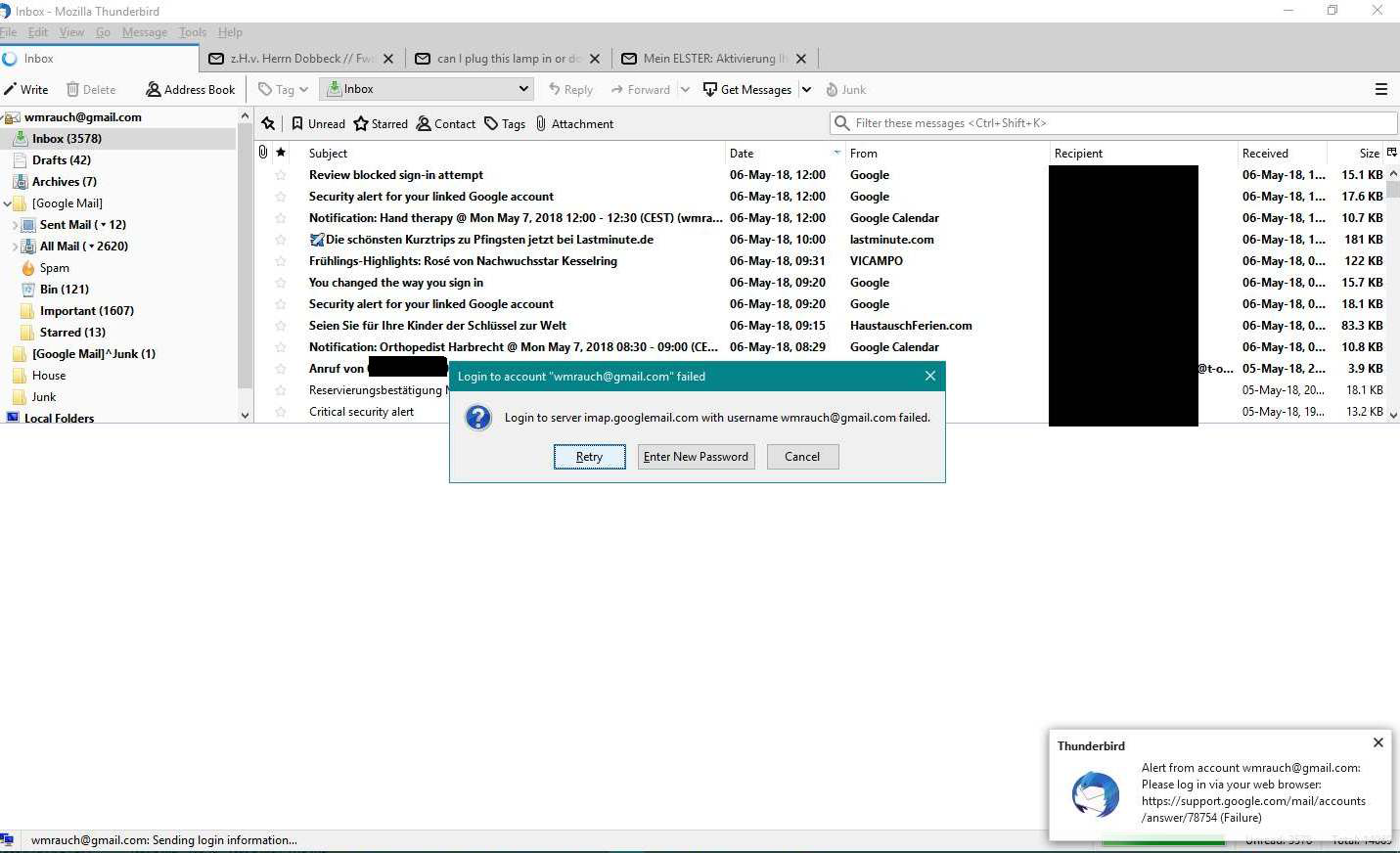
When I enter my new Gmail password I get the attached error message.
The information "Alert from account ... Please log in via web browser" makes no sense. Of course I've done that. I've also changed the Thunderbird's saved gmail password to no effect.
When I start Thunderbird beta (v. 60.0b6) I get this message:
Mail Server Password Required. Enter your password for xxxxx@gmail.com on imap.googlemail.com:
When I enter my new Gmail password I get the attached error message.
The information "Alert from account ... Please log in via web browser" makes no sense. Of course I've done that. I've also changed the Thunderbird's saved gmail password to no effect.
การตอบกลับทั้งหมด (2)

What did you do that caused the 'You changed the way you sign in' message?
You still there tinyfireball???