


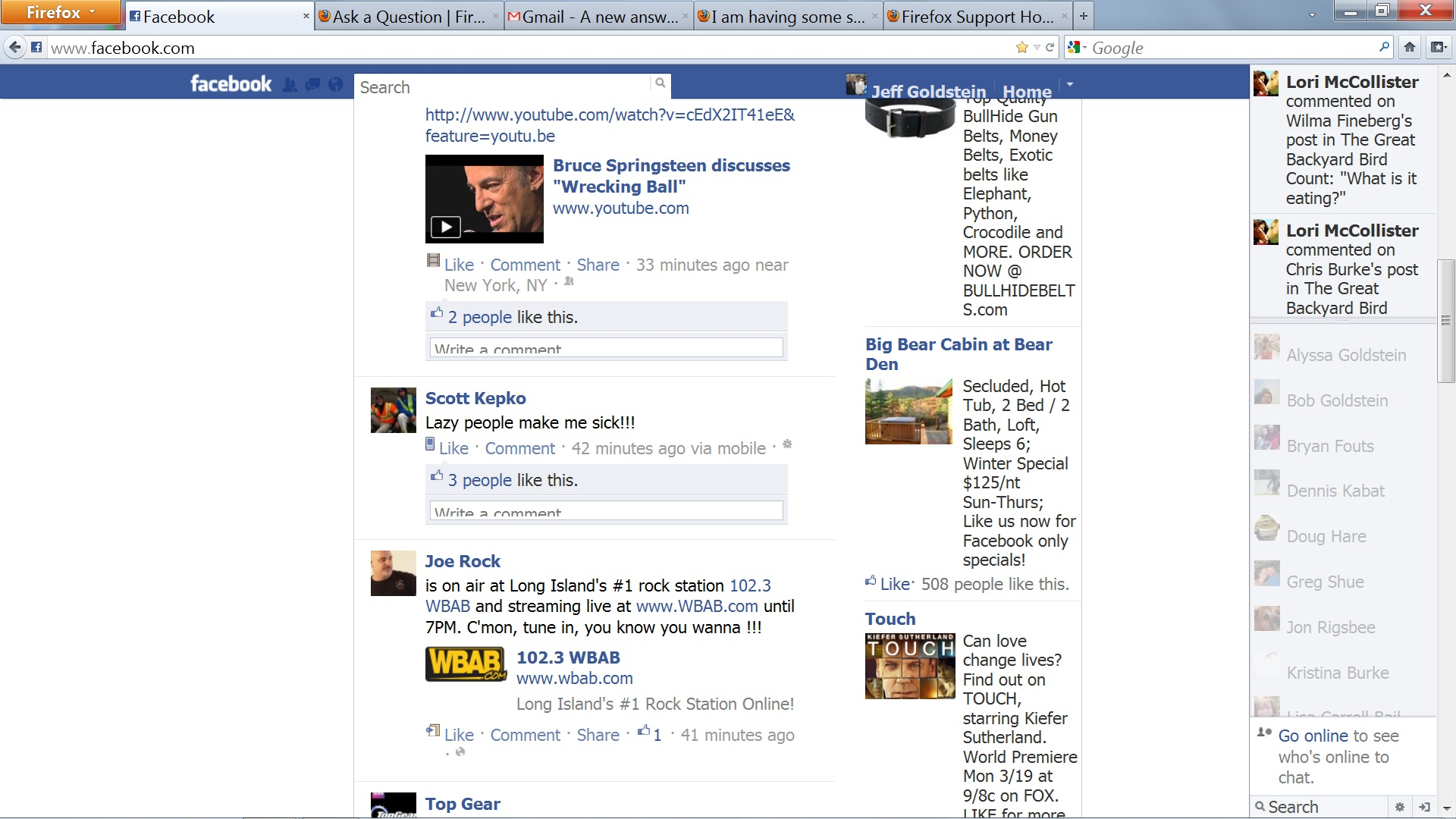
I am having some sort of display issue. All dialog boxes which i type in are displayed with the bottom cut off. Chrome and IE work fine though. I tried disabling add ons and it didn't help

I am having some sort of display issue. All dialog boxes which i type in are displayed with the bottom cut off. Chrome and IE work fine though. I tried disabling add ons and it didn't help
ఎంపిక చేసిన పరిష్కారం
If you have increased the minimum font size then try the default setting "none" as a (too) high value can cause issues.
- Tools > Options > Content : Fonts & Colors > Advanced > Minimum Font Size (none)
Make sure that you allow websites to choose their fonts.
- Tools > Options > Content : Fonts & Colors > Advanced > [X] "Allow pages to choose their own fonts, instead of my selections above"
It is better not to increase the minimum font size, but use an extension to set the default page zoom to prevent issues with overlapping text or other display problems.
- Default FullZoom Level: https://addons.mozilla.org/firefox/addon/default-fullzoom-level/
ప్రత్యుత్తరాలన్నీ (4)
Try in Firefox's safe mode, do not make changes in the first window, just click on continue. If necessary whilst in safe mode also disable all plugins.
Please attach a couple of screenshots demonstrating this problem, that may help someone attempting to help you.
Thank You for the response. I have tried in safe mode with add ons disabled, but get the same results. Attached is a screen shot. Please note the areas you type in. This problems appears in all websites not just Facebook
ఎంపిక చేసిన పరిష్కారం
If you have increased the minimum font size then try the default setting "none" as a (too) high value can cause issues.
- Tools > Options > Content : Fonts & Colors > Advanced > Minimum Font Size (none)
Make sure that you allow websites to choose their fonts.
- Tools > Options > Content : Fonts & Colors > Advanced > [X] "Allow pages to choose their own fonts, instead of my selections above"
It is better not to increase the minimum font size, but use an extension to set the default page zoom to prevent issues with overlapping text or other display problems.
- Default FullZoom Level: https://addons.mozilla.org/firefox/addon/default-fullzoom-level/
న cor-el చే మార్చబడినది
Thank You Cor-el. You are my savior!!!!