


Why doesn't CrL + H bring up Clear History?

As recently as yesterday I was able to hit the CTRL+H keys to bring up my browsing history. That no longer works - now it looks like I need to open the menu then type in clear history which will up the clear history. CTRL+H was much easier - why add extra steps??????
ప్రత్యుత్తరాలన్నీ (5)
I think the default of Ctrl + H is to open the History sidebar.
If you're looking for History window in Library that's Ctrl + Shift + H and the "Clear Recent History" pane is Ctrl + Shift + Del — you can of course tweak the shortcuts Customize keyboard shortcuts in Firefox
That's the problem - Ctrl + H used to bring up the history sidebar & then I could just click to delete. That is no longer the case. There is no shortcut. Ctrl + H doesn't work any longer. Now I have to go to the menu/ library, type in Clear History & then I get to the same place as I did before with a simple shortcut. I don't see that as an improvement as I clear History after every session
And if you follow the steps linked earlier is the shortcut still listed there?
If you invoke the menu bar with "Alt", does the View › Sidebar › History item still list the shortcut there? (works for me)
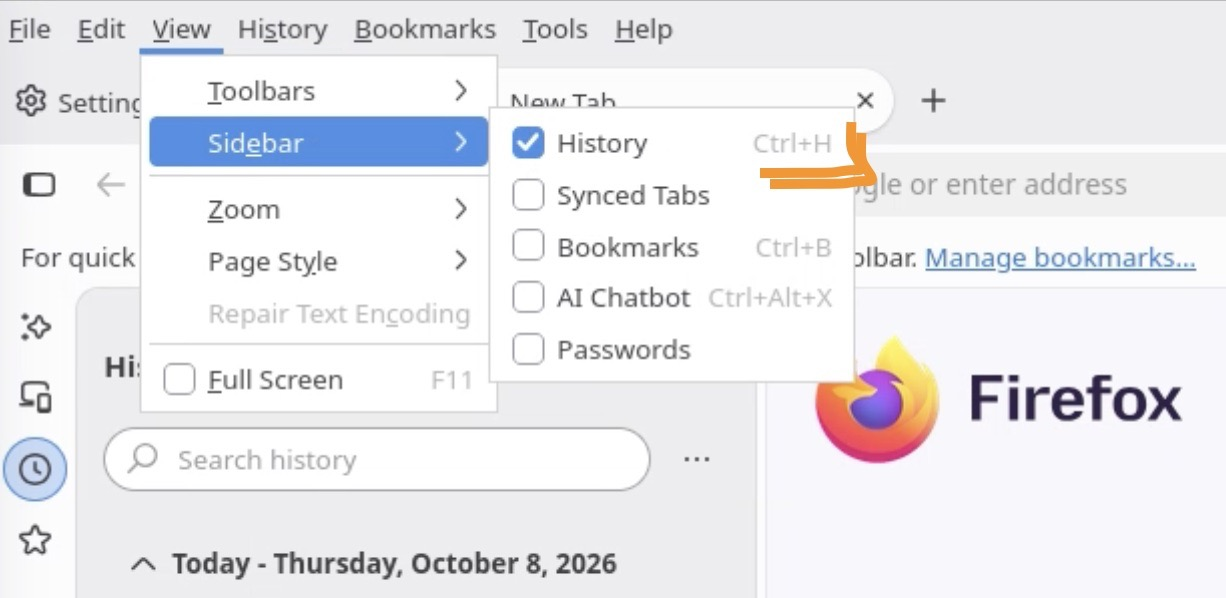
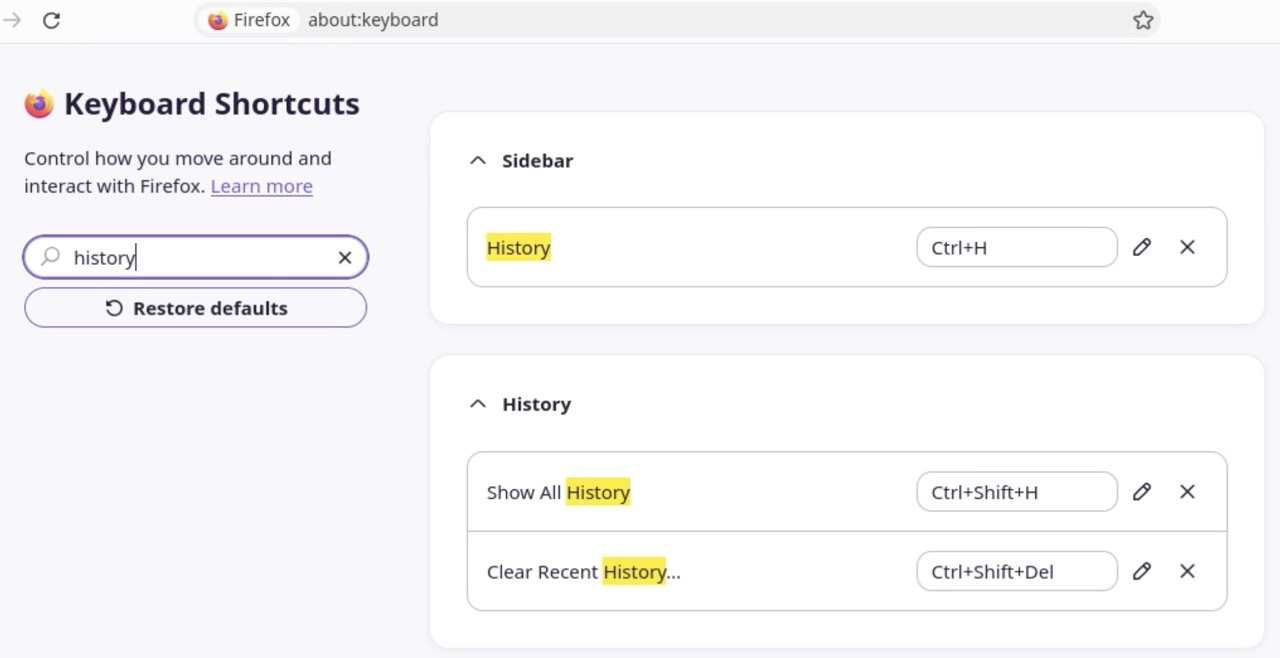
I went into the control panel/internet options & was able to reset the shortcut from there. I have no idea why it disappeared. This is what I see when I use Ctrl +H - I can just delete Today & I'm done. Thank you for your help

👍 Sure thing.
I think it might get re–mapped if there's a conflict over the same shortcut system–wide, maybe some utility running in the background claimed the same key combo — glad you were able to win it back for your sidebar;)