


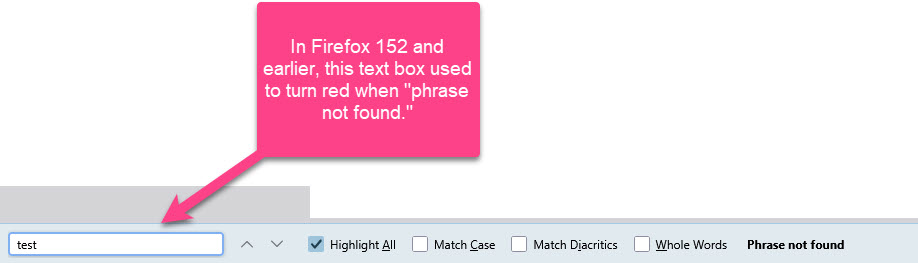
In Firefox 153, CTRL+F (find in page) no longer turns red when "phrase not found"

This small but negatively impactful change is wrecking my workflow. Can anyone help with a userChrome.css fix to restore the old functionality?
Team Mozilla: *please* fix this likely unintended change in the next update.
ప్రత్యుత్తరాలన్నీ (4)
There is a bug filed for specificity, I'll check what version it's supposed to track.
Does this happen for you in any theme, or just in some custom one?
Thanks for the quick reply, jbr. I don't recall this issue happening in 152. The browser just recently updated to 153 which is when I first noticed it.
It appears to be happening only in my standard theme (https://addons.mozilla.org/en-US/firefox/addon/blue-sky/).
Thanks very much for the help.
Right, yeah so the workaround for the time being would be to disable the custom theme and use the "factory" light/auto one to get the color–coding back before this is fixed.
This is a regression in v153 and is tracked in bug bugzilla.mozilla.org/2055462 — it doesn't have any patches yet so it's early to guess when/how a fix will ship, but hopefully within the v153 cycle or during v154 beta.
(And yes, the userchrome fix should be as trivial as adding some !important rules — maybe someone in the FirefoxCSS communities already has a fix?)
Very glad to hear it's a known issue (and nothing I screwed up). I managed to "fix" it for now by adding this code to the userChrome.css file.
.findbar-textbox[status="notfound"] {
 background-color: #FCB6CB !important;
 color: #000000 !important;
Thanks for the help!!
న RR చే మార్చబడినది