


Custom search keywords no longer working

Hello,
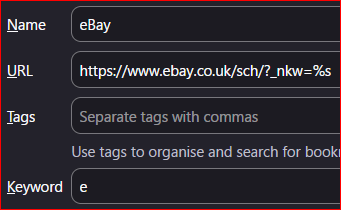
I have some keywords linked to some searches saved as bookmarks - image attached as an example.
I have noticed that the keywords are no longer working in my URL bar. I am using Firefox Developer Edition, and I think the keywords have stopped working since version 153 was released.
The keywords on the proper search engines are still working.
Has anyone else observed this?
Thanks
ఎంపిక చేసిన పరిష్కారం
Okay. I think it's an old CSS file I had that was hiding the results after entering a keyword. So the keyword works but no result shows, like in the image in jbr's initial reply. I will just remove this CSS.
న plusminus_ చే మార్చబడినది
ప్రత్యుత్తరాలన్నీ (4)
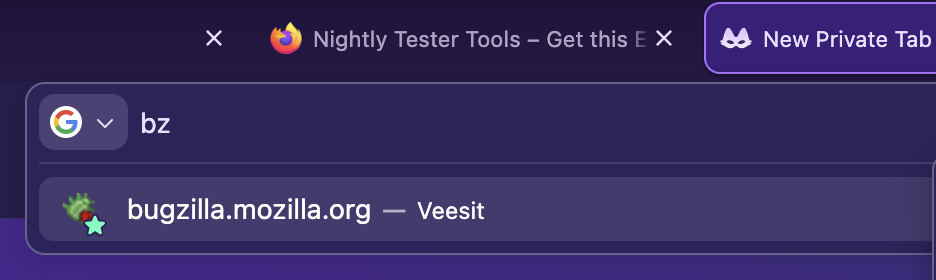
Seems to work in 154: … (and I don't see any regressions reported)
jbr said
Seems to work in 154: … (and I don't see any regressions reported)
Thank you for this.
I just checked with another profile (I should have done this first!) and the keyword works there, so there must be something amiss with my main profile.
But at least I know it is not a regression!
I'd just try removing the keyword and adding it back later, or changing it to something else for a bit — to see if there's something conflicting for just this search alias, or nothing really works per se… even after adding, removing and/or editing bookmarks. (Or… you know, restarting the browser, going into Troubleshoot Mode from Help menu to check there, run Places Database integrity check from More Troubleshooting menu item — it's down the page almost at the bottom, in the Places table…)
ఎంపిక చేసిన పరిష్కారం
Okay. I think it's an old CSS file I had that was hiding the results after entering a keyword. So the keyword works but no result shows, like in the image in jbr's initial reply. I will just remove this CSS.
న plusminus_ చే మార్చబడినది