


Many inbox folders are no longer in sorted order

A fair number of folders in my primary email address's inbox have been out of sorted order for at least several months.
Most of them are folders I access quite often; they now appear AFTER what used to be the last folder ("Zoom").
If this is a "feature," I suggest moving the highest activity folders to the FRONT of the inbox rather than to the BACK.
HOW DO I RE-SORT MY INBOX FOLDERS?
Thank you.
ఎంపిక చేసిన పరిష్కారం
Yes, thank you - that worked! I was on the "ESR" channel and I guess 147 wasn't yet available there. So I downloaded the Standard.
ఈ సందర్భంలో ఈ సమాధానం చదవండి 👍 0ప్రత్యుత్తరాలన్నీ (9)

I think that's a known bug. R. click your account just above Inbox > Reset Folder Order. Then you can sort subfolders how you want by drag and drop.
Thank you for the helpful suggestion, but it leaves me with 2 problems:
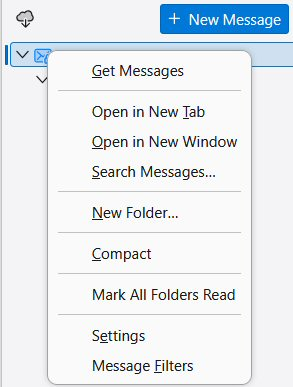
- When I right-click on my account just above Inbox, I get a menu that doesn't show anything identifiable as "Reset Folder Order." Snapshot attached.
- Even if I am somehow able to Reset Folder Order manually, I don't want to have to drag and drop every time in order to return subfolders to alphabetical order.
It's unacceptable that the folders ever got out of order in the first place. It's only mildly annoying to have to click a button to restore them to alphabetical order. It's onerous to have to reorder them manually, one at a time!
Thank you again.
న Wayne Mery చే మార్చబడినది
@AdmiralR,
I have someone else who is reporting something similar.
Please post a screen shot of your folder pane showing Inbox at the bottom / not in the top - it may help if the account line is also in the screen shot but obscured. Not asking this for proof, but so that we can see the folder icons and have the full context of what you are seeing.
Thanks
Yesterday I contacted a developer who will try get us a solution.
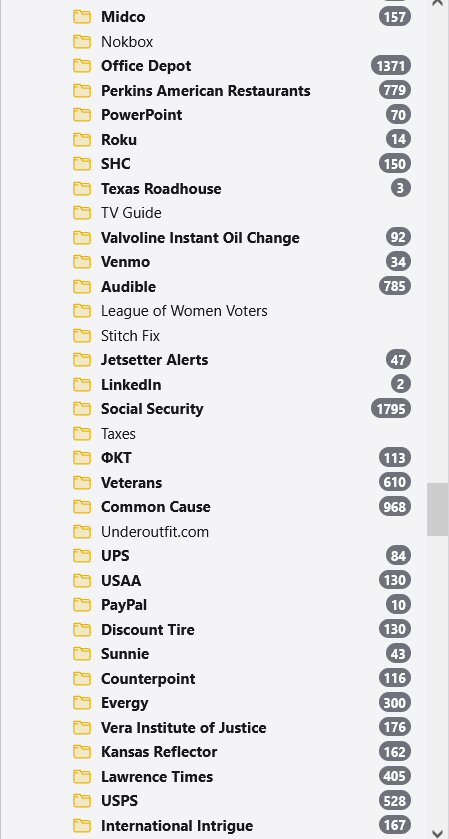
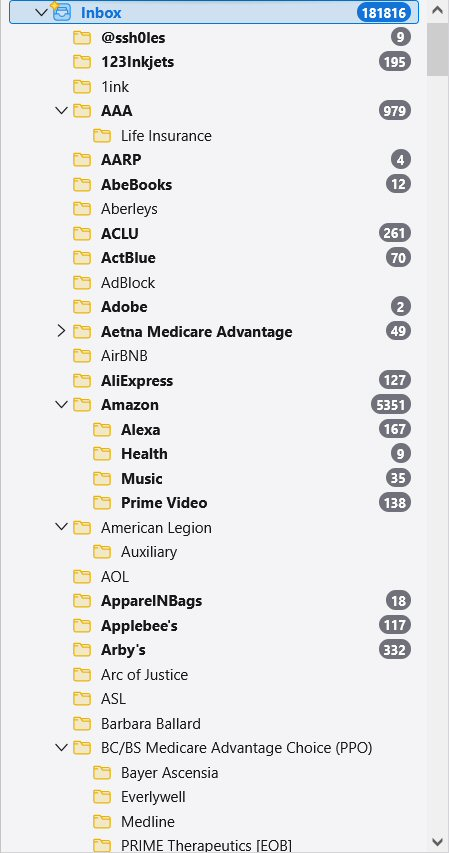
Wayne Mery requested: "Please post a screen shot of your folder pane showing Inbox at the bottom / not in the top"
I've posted BOTH the bottom (first) and the top (second) of the folder pane of my primary email inbox.
Thanks for investigating.

140.7.2esr (64-bit)
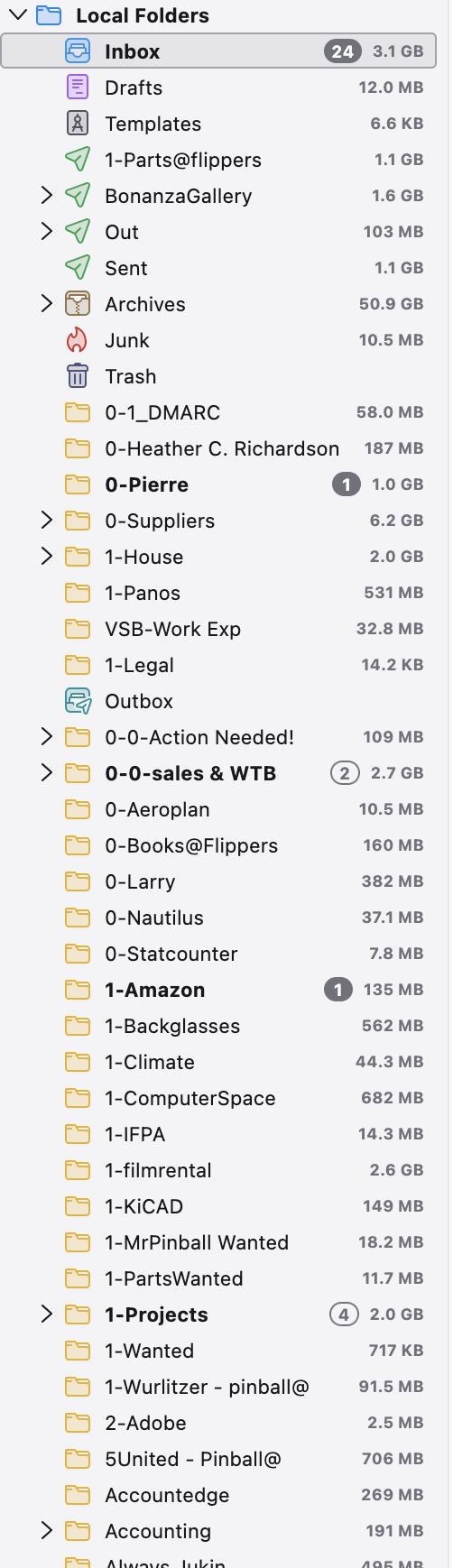
My folders scramble over time as well. This is new, only happening for a week or two. Getting annoyed as I have to hunt for new messages instead of being where I expect them.
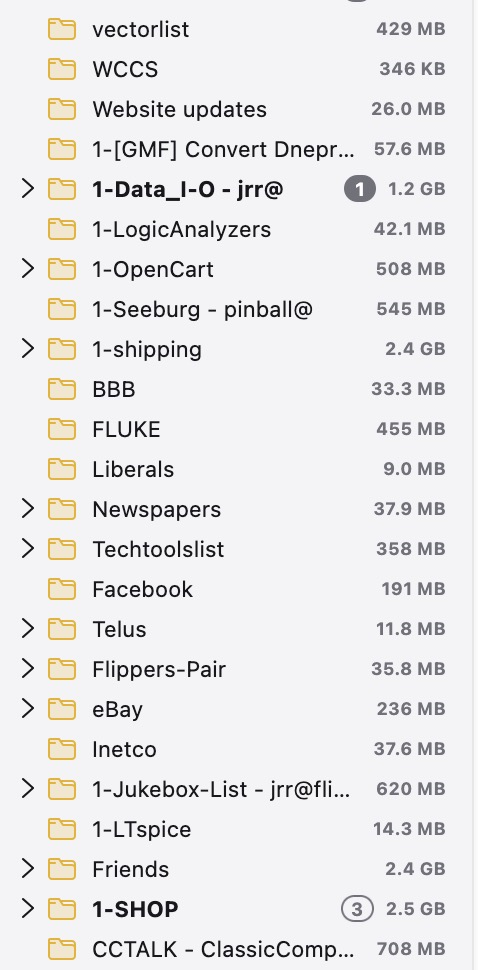
First image shows how they scramble near the bottom, the 2nd shows them also improperly sorted by numeric, then alpha at the top. I sort them again and over a few days they wander around depending on when new emails are sorted into them.
న jrr1 చే మార్చబడినది

Sorting Folders Alphabetically/Alphabetizing is Resolved - - New Release Channel Thunderbird Required 1. Situation: Folders no longer sort by Alpha Numeric Order / Folders in strange order 2. Observation: Older Thunderbird (i.e. v140.x) has no "Reset Folder Order" 3. Fix Attempted: Check for updates on the Release Channel says your Thunderbird client 140.x is up to date (IT's A LIE) Don't believe it 4. Solution: Thunderbird 142.x or greater required to resolve. 5. Action: Download an updated version of Thunderbird (currently 147.x) from Thunderbird https://www.thunderbird.net/en-US/ 6. Action: Close any Thunderbird applications 7. Action: Run the self install program. ADMIN privileges will be required. 8. Result: Thunderbird 147.x or later (Release Channel) is installed (technically updates the older version) 9. Action: Start Thunderbird 10. Action: Mouse over the mail account (I have several in Thunderbird) and right click your mouse (assuming a right handed mouse) and select "Reset Folder Order" to sort folders using default alpha-numeric sort 11. Result: Folders are now resorted in alpha-numeric sequence
ఎంపిక చేసిన పరిష్కారం
Yes, thank you - that worked! I was on the "ESR" channel and I guess 147 wasn't yet available there. So I downloaded the Standard.
Thank you for the tip! The very idea that 140 could without warning scramble the order of the folders, ESPECIALLY without any mechanism by which they could be reordered alphabetically, is not only lamentable, it's ludicrous!