Add user to my account

After 30 years of using Thunderbird with no problems, yesterday opened my account (with my wife's email also) and everything was gone. I managed to get my stuff back but today I worked on my wife's and, while I got her email address to appear in my account I can't get anything else - folders, emails, saved emails, etc. Obviously mine was hidden somewhere because I recovered it pretty readily but I'm having no luck with my wife's. The only things of hers that appear are her inbox, trash, and outbox. I'm delaying telling her because she will be justifiably extremely upset. HELP!
ప్రత్యుత్తరాలన్నీ (1)
dannas said
After 30 years of using Thunderbird with no problems, yesterday opened my account (with my wife's email also) and everything was gone.
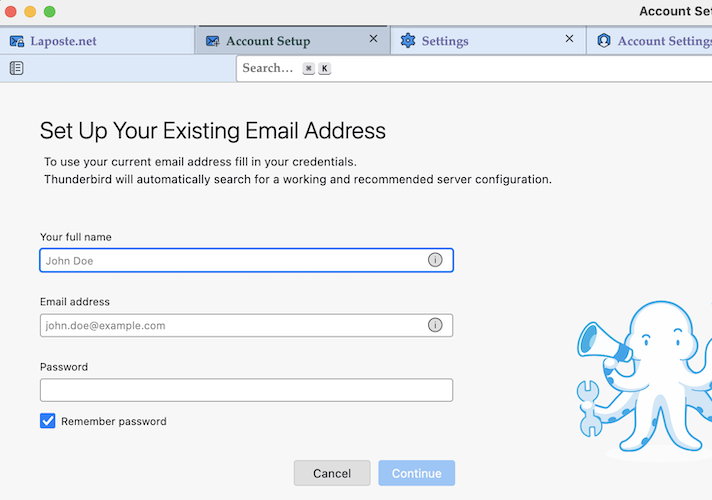
Which was the Thunderbird startup page you saw when "everything was gone"? Did Thunderbird ask to "set up your existing email address" (see image)? I think that the prefs.js file in your Thunderbird profile might be broken.
In Thunderbird go to Help > Troubleshooting Information > Profile Folder > Open Folder... and quit Thunderbird. In the profile folder search for prefs-1.js or an invalidprefs.js file. If you don't find neither of those files look for a prefs.js file with an actuel creation date and look up its size. If the size is between 6 and 8 kB it's an new virgin prefs.js file which doesn't contain your account data.