


Cannot stop Firefox Quantum from remembering my login IDs and passwords.

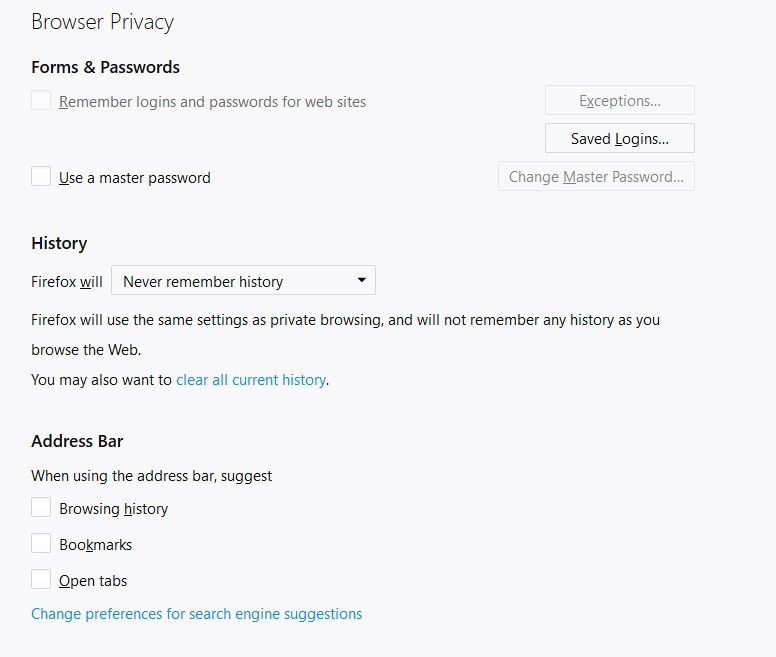
Firefox Quantum is saving all of my login IDs and passwords and all the privacy settings are set to not do that.
How do you stop it from keeping a record of all my login IDs and passwords?
Firefox Quantum is saving all of my login IDs and passwords and all the privacy settings are set to not do that.
How do you stop it from keeping a record of all my login IDs and passwords?
ప్రత్యుత్తరాలన్నీ (1)
Please Refresh but do this 1st: Delete your Cookies and Cache and TEST.
- https://support.mozilla.org/en-US/kb/export-firefox-bookmarks-to-backup-or-transfer
- https://support.mozilla.org/en-US/kb/back-and-restore-information-firefox-profiles
then
TEST....... If no issues then Extensions which need to be added back in 1 at a time and tested ..... Or it is your Profile : Make a new one and test ...:
If is your Profile :
- https://support.mozilla.org/en-US/kb/recovering-important-data-from-an-old-profile
- http://kb.mozillazine.org/Transferring_data_to_a_new_profile_-_Firefox
Note: Any customization will revert back to default, you will also need to reinstall Extensions.
- https://support.mozilla.org/en-US/kb/recovering-important-data-from-an-old-profile
- http://kb.mozillazine.org/Transferring_data_to_a_new_profile_-_Firefox
Please let us know if this solved your issue or if need further assistance.