


Mozilla VPN 2.40 Update results in Windows bad image report
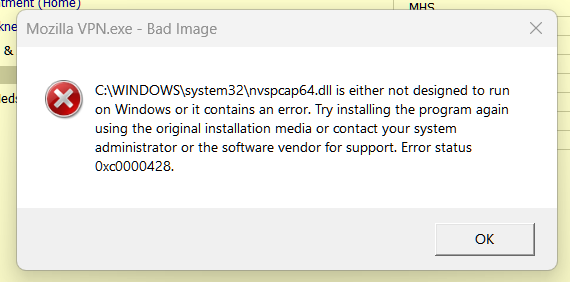
I just updated my Mozilla VPN to version 2.40. Now, whenever the vpn is started, Windows reports that nvspcap64.dll is not designed to run on Windows or it contains an error. Error status 0xc0000428. I have tried uninstalling and reinstalling to no avail. I restored the nvspcap64.dll from a backup which didn't work either. I have attached a screenshot of the message.
Repeated clicking of the "OK" button on the message will eventually allow the vpn to open, but I'm not sure if it is working correctly.
Can this be fixed?
All Replies (1)
Hi,
Mozilla VPN is one of Mozilla's premium products. In order to get premium support from a dedicated agent, please submit your question with your Mozilla VPN app by going to Settings > Help > Contact Support. Alternatively, you can sign in to the Mozilla account connected to your subscription here (if not already) and then use this link.
The Mozilla VPN form link can also be found on top at Ask a Question > Mozilla VPN. Make sure you are using the Mozilla Account that has the Mozilla VPN subscription.