


All devices dropping out of Mozilla account; Sync partly broken

I share my Sync account across 1 Android + 3 desktop devices (Win 10 or 11). So far no problems. A few days ago all the devices started dropping out of Sync.
I would say this all started with the Android device (v.153), which seems to have logged out of the account on its own. After reconnecting it, all the desktop devices went nuts...
1) desktop machines will need to reconnect to Mozilla account every time FF is launched 2) about:logins is always empty, even after logging back in and completing a sync routine 3) even when it states "Account disconnected" - "Sync is off", they will still receive tabs sent from the Android device; they can't send tabs as they won't see the other devices. Also, even while disconnected, they were able to add a new bookmark to the account. So, account is not actually fully disconnected... only some parts of Sync are.
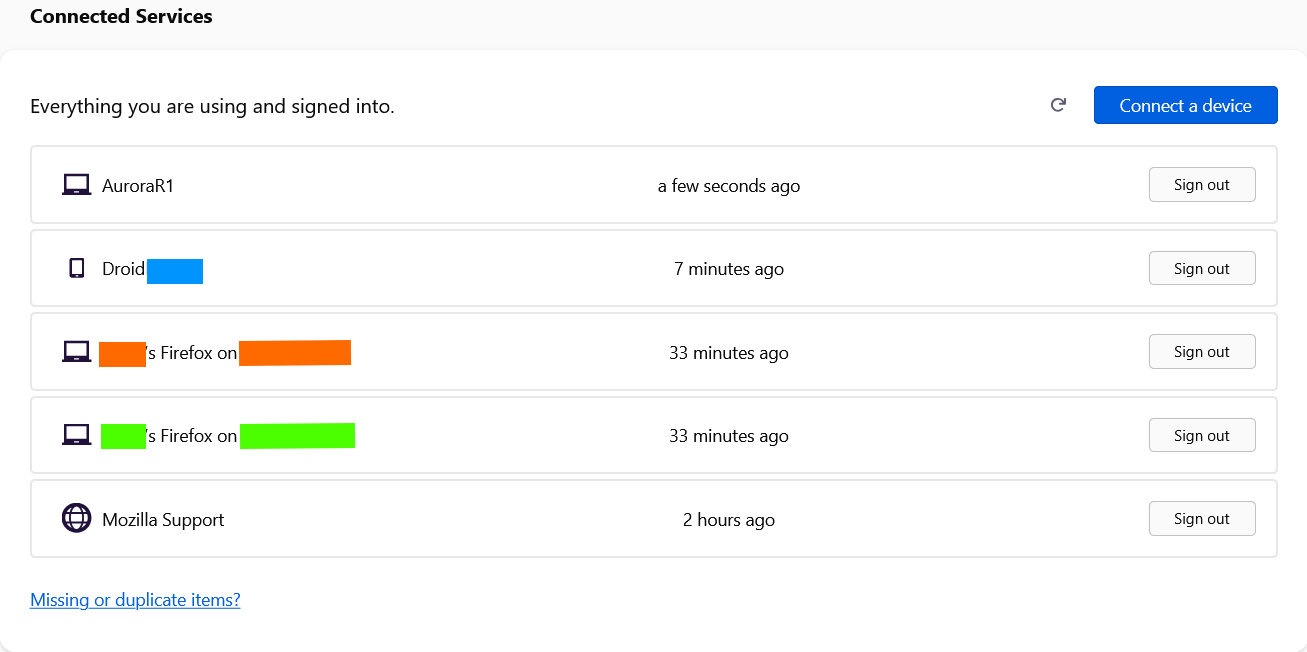
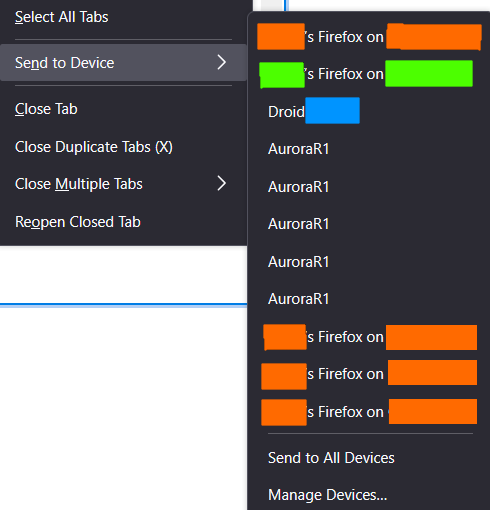
Another symptom. Account's Connected Services list is clean and up to date (see images). Account recognizes new logins as already known hardware and avoids doubling them. But in Sync there's a mess of instances... all new attempts are seen as a new device. Many of these are of course dead links, as the latest login overwrites previous ones.
This happened while desktops were updating to v.154, but I wouldn't say it's related to that, as two of those machines also run a different Mozilla account on a second profile, and so far that account is not misbehaving.
The Android device also got disconnected a few more times, but now it seems more stable than its siblings, and the passwords are still accessible (as as you can see in the pics, it's not showing as a doubled Sync device).
I didn't try signing off all devices because I'm worried I won't be able to get back in... anyway, manually signing off a single one didn't change anything.
It seems to me this is a server-side issue. Is there a way to "refresh" the account without losing all data? Thank you

All Replies (2)
தீர்வு தேர்ந்தெடுக்கப்பட்டது
Solved. I had a LLM help me out in debugging.
Turned out the core problem was an apparently very rare data corruption bug involving an integer overflow within the Firefox Sync engine. The browser was caught in an aggressive crash loop triggered by a "TypeError: timeCreated exceeds the safe integer bounds" error passing through UniFFI.sys.mjs.
A timestamp payload stored on the sync server had been mangled into an impossibly large 64-bit integer (18446744071857664), crossing JavaScript's safe integer threshold. Because this malformed data lived in the Rust-to-JS bridge layer (UniFFI), it locked up the local SQLite database engines internally, throwing secondary errors like "no such table: moz_logins" and completely disabling credential access on connected desktop nodes.
The crash consistently triggered dynamically based on alphabetical domain strings, specifically choking right after parsing nodes in a certain alphabetical range.
Because the corrupt payload was actively hosted on the sync server, simply restarting the browser or clearing the local cache would not fix it—the clean client would just download the bad sync state and crash again. I resolved it using a deep "wipe-and-overwrite" sequence: Local Clean Slate: Closed the crashing browser completely. Navigated to the local profile folder path on the desktop and deleted the cached local database files to unlock the local profile files. Isolating Mobile Nodes: Unlinked mobile instances (like Android) so they wouldn't pull down or push up the corrupt string during the repair process. Targeting and Overwriting Server Payload: Used a clean node/separate environment to pinpoint data added right around the time the crash loop began. Found a suspect recently added credential within the problematic alphabetical bracket. Deleting that specific entry from the node successfully deleted the poisoned payload from the Mozilla cloud server. Resync: Reconnected the desktop client to the account. With the corrupted node wiped from the server, the UniFFI bridge boundary stopped throwing errors, the local database unlocked, and sync resumed flawlessly.
Hopefully, this breakdown helps if anyone else encounters a random safe integer bounds loop crashing their storage database.
Logs of the ongoing errors were found in: \AppData\Roaming\Mozilla\Firefox\Profiles\profile_name\weave\logs
Reported here for further analysis: https://bugzilla.mozilla.org/show_bug.cgi?id=2066257