


how do print a 1 page email on 1 piece of paper?

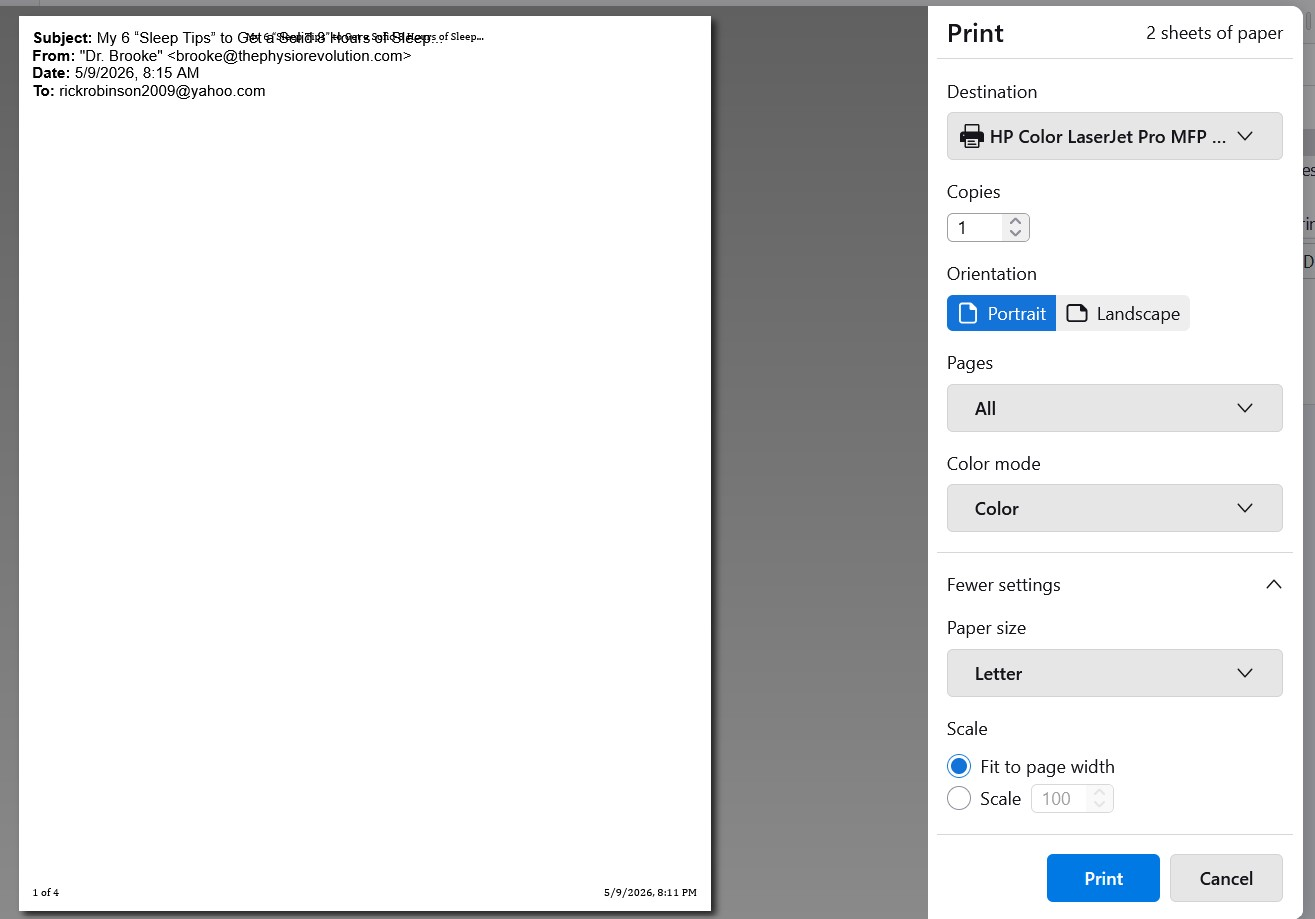
1. There is not a relevant "topic" above for this question 2. How can I print a 1 page email on 1 piece of paper? View headers are set to Normal. I get one page with From, To, Reply to, & Subject then body on next page. I used to just select Print and my emails printed normally. I have been using Thunderbird for more than 20 years with out this problem
தீர்வு தேர்ந்தெடுக்கப்பட்டது
fit to width is what I meant or the scaling setting. These things have changed in term over the past 30 years, but the substance of the settings makes far fewer changes. Lipstick on a pig is how I see it.
Try changing the scaling from 100% to something a little smaller like 95% . I am reading a lot between the lines, but my guess is Dr Brooke is using tables in email that are just to wide or long and scaling will make stuff fit. That is very common with Outlook/Office/Word as it provides the user with the felling of control. It also meets the corporate demands for this font, this size and this colour with this logo that is this percentage of the page. It does nothing for the recipient however except frustrate. Just because it looks good on your monitor does not mean is will even be readable on the recipients phone. Unfortunately those making such decision usually have no technical skills relevant to the topic they are deciding on.
Read this answer in context 👍 0All Replies (4)
set the fit to page option is the preview pane. Generally this is caused by page and paper mismatches. most usually between A4 and letter.
Where is 'fit to page' option? That option is not listed under paper size. It is set to Letter, I tried A4 and vairious others including custom, no results.
I think I was able to attach a screenshot of the print preview page.
Thank you
தீர்வு தேர்ந்தெடுக்கப்பட்டது
fit to width is what I meant or the scaling setting. These things have changed in term over the past 30 years, but the substance of the settings makes far fewer changes. Lipstick on a pig is how I see it.
Try changing the scaling from 100% to something a little smaller like 95% . I am reading a lot between the lines, but my guess is Dr Brooke is using tables in email that are just to wide or long and scaling will make stuff fit. That is very common with Outlook/Office/Word as it provides the user with the felling of control. It also meets the corporate demands for this font, this size and this colour with this logo that is this percentage of the page. It does nothing for the recipient however except frustrate. Just because it looks good on your monitor does not mean is will even be readable on the recipients phone. Unfortunately those making such decision usually have no technical skills relevant to the topic they are deciding on.
Yes I can get it all on one page at 30%
You are correct, she is using tables, I did a Reply and I can see the table lines with one main table with multiple embedded tables. All makes perfect sense now, the tables can not be split up between pages.
I can still normally print other text emails.
Thanks so much Rick