Display corruption at icloud.com

I routinely keep a tab open to view my iCloud account (PC running Windows 10 Pro).
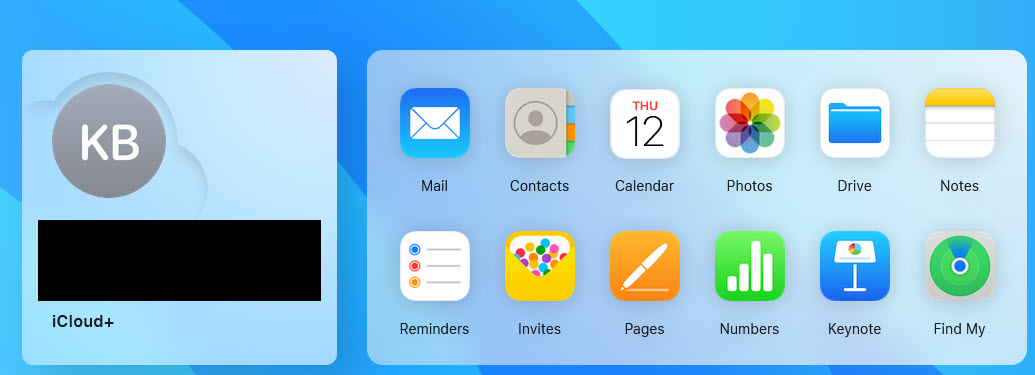
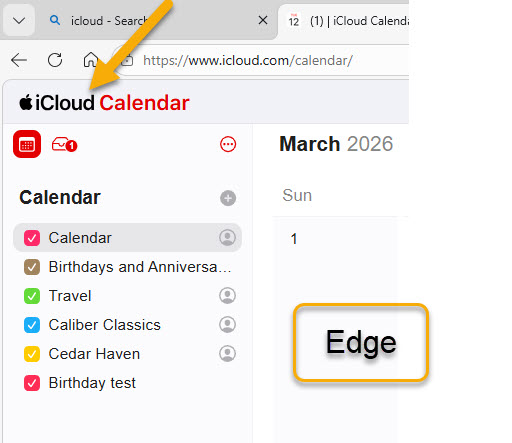
Everything has worked just fine in the past. Here are the basics using Edge... -The home page displays like the first attachment. -Clicking an icon takes me to the calendar page (see the Edge screenshot in the second attachment) -Clicking the word, 'iCloud' (see yellow arrow in second attachment) returns me to the home page.
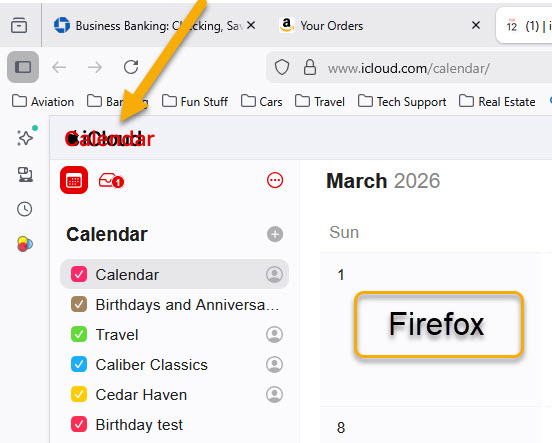
But now, using Firefox, if I click the calendar icon (or any other) the calendar return link and Calendar page title are superimposed over one another and the return link does not work. -Check out the yellow arrow in the third attachment -If I click the iCloud/Calendar mishmash I get nothing. If I click left arrow or Back I get nothing.
Note that this still works fine with Edge but does not work with Firefox. Please note also that this happens on a different PC running Windows 11 Home. Have tried clearing Firefox cache (no change) but don't know what else to try.
Any ideas?