


Join us to show up for other Firefox users 🦊. Earn fun badges and Mozilla swag vouchers! Find out more: https://mzl.la/askafox150

Windows 10 reached EOS (end of support) on October 14, 2025. If you are on Windows 10, see this article.

Search Support

Avoid support scams. We will never ask you to call or text a phone number or share personal information. Please report suspicious activity using the “Report Abuse” option.

Learn More

CAN'T EDIT/DELETE PROFILE IN NEW PROFILE MANAGER

  • 5 பதிலளிப்புகள்
  • 0 இந்த பிரச்னைகள் உள்ளது
  • 36 views
  • Last reply by cor-el
  • Open

No matter what I've tried, I cannot figure out a way to edit or delete the profile from the new profile manager. Both about:editprofile and about:deleteprofile show up as a blank page (with how it looks on my normal profile for comparison). I have tried deleting the folder multiple times, but the icon still shows up in the manager and clicking it just creates a new profile with the default settings. It also does not appear when using firefox.exe -p. I had previously been using the about:profiles to manage my profiles and wanted to see if I liked the new version (I didn't), hence why I was using it in the first place.) I'm currently using Firefox version 149.0 and Windows 11 on the latest version. I have found no solution that gets rid of it. I would also be fine getting rid of the profile manager UI so it stops bothering me.

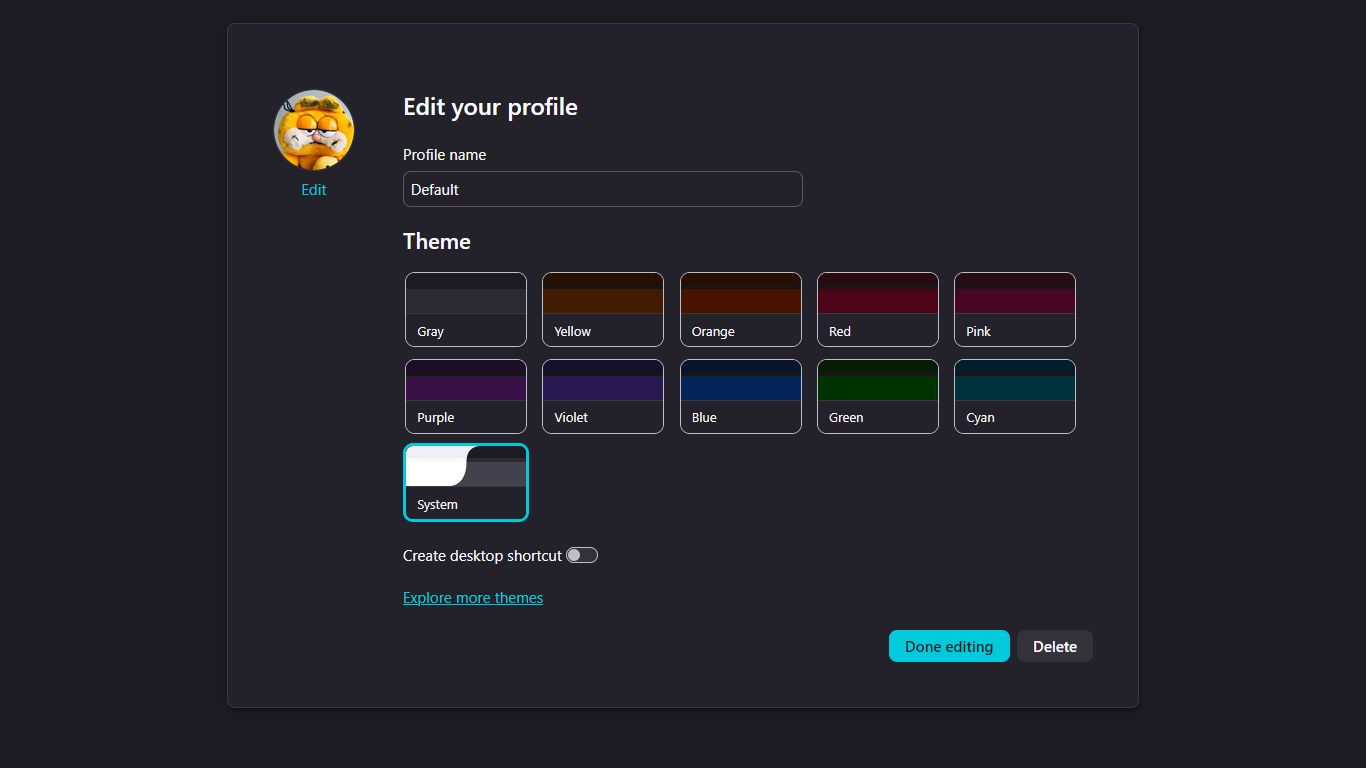
No matter what I've tried, I cannot figure out a way to edit or delete the profile from the new profile manager. Both about:editprofile and about:deleteprofile show up as a blank page (with how it looks on my normal profile for comparison). I have tried deleting the folder multiple times, but the icon still shows up in the manager and clicking it just creates a new profile with the default settings. It also does not appear when using firefox.exe -p. I had previously been using the about:profiles to manage my profiles and wanted to see if I liked the new version (I didn't), hence why I was using it in the first place.) I'm currently using Firefox version 149.0 and Windows 11 on the latest version. I have found no solution that gets rid of it. I would also be fine getting rid of the profile manager UI so it stops bothering me.

Attached screenshots

All Replies (5)

Hi

Do you see the profile listed in about:profiles?

It still shows a blank page. (It has these options for a new/default profile.) Do you think I could have glitched something when I was making it?

Some technical info that might help:

கேள்வி எழுப்பு

You must log in to your account to reply to posts. Please start a new question, if you do not have an account yet.