


find a single email from a backup

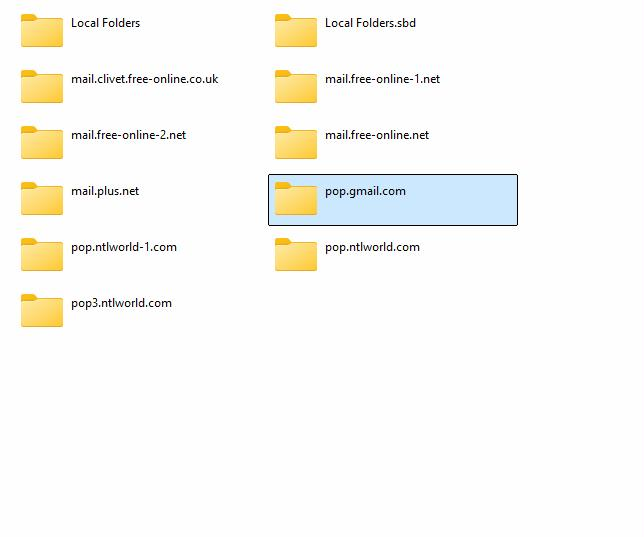
I use easeus backup to save my thunderbird email profiles and i hope emails. I want to find a single email within the backup. I can access a dated backup no problem. issue is how do i read the thunderbird files... in folder profiles... to pop.gmail folder, where i hope the emails actually reside.
தீர்வு தேர்ந்தெடுக்கப்பட்டது
in that POP folder, look for inbox, inbox.msf, sent,, sent.msf, etc. The msf files do not contain the message. you can easily view the files from your browser at https://www.mbox-viewer.com/ OR, you can exit thunderbird and copy the file to your Mail\Local Folders folder in the profile and then restart thunderbird.
Read this answer in context 👍 1All Replies (4)
தீர்வு தேர்ந்தெடுக்கப்பட்டது
in that POP folder, look for inbox, inbox.msf, sent,, sent.msf, etc. The msf files do not contain the message. you can easily view the files from your browser at https://www.mbox-viewer.com/ OR, you can exit thunderbird and copy the file to your Mail\Local Folders folder in the profile and then restart thunderbird.
David.
Thanks, Unfortunately it looks like there is a few weeks gap in the files, I bet it was in that time, sods law. A few more to check, but at least your have given me a chance.
Isn't that life? The message you need is the message that isn't there. I know how that feels. All the best to you. :)
HI.. David.. fyi.
Mbox viewer, doesn't allow retrieval of emails...
Although these can be viewed and moved , as full emails, from within Thunderbird its self..
Close Thunderbird...
Find the local folders in the profile folders....
...Profiles\xxxxxxx.default\Mail\Local Folders
Then rename your archived file , and .msf file... to say OLDfile & OLDfile.msf .. Copy both into the local folder, and start Thunderbird.. Look down to local folders, and you should see OLDfile... click on it, you should see your emails... you can the retrieve the ones you want . and keep safe... then when Thunderbird is closed , delete the OLD.. files from local , to save space...