


Windows 10 reached EOS (end of support) on October 14, 2025. For more information, see this article.

Search Support

Avoid support scams. We will never ask you to call or text a phone number or share personal information. Please report suspicious activity using the “Report Abuse” option.

Learn More

Issues Playing Audio From Firefox Notification

  • பதில்கள் இல்லை
  • 0 இந்த பிரச்னைகள் உள்ளது

Hello! I've recently been having some issues getting videos to play in the background from Firefox's audio notification media player feature. I very frequently use YouTube in the Firefox browser so that I can then exit the browser and still play the audio of a video via the media player, but last night that media player stopped working for me. When I close the Firefox app, I still get the notification as usual, but tapping the "play" button achieves absolutely nothing. I've tried to search the issue and test some fixes myself, but nothing has worked so far. The fixes I've tried include:

  • Activated "Allow video and audio" in the Firefox Autoplay setting
  • Made sure autoplay was allowed in the YouTube browser tab
  • Tried to play the audio while connected to wi-fi and while on data
  • Checked for updates to my phone, YouTube, and Firefox (I am up to date)
  • Deployed the old "turn it off and turn it back on again" fix, both in Firefox (closing all tabs and re-opening), and for my phone (shut it down and restarted it).

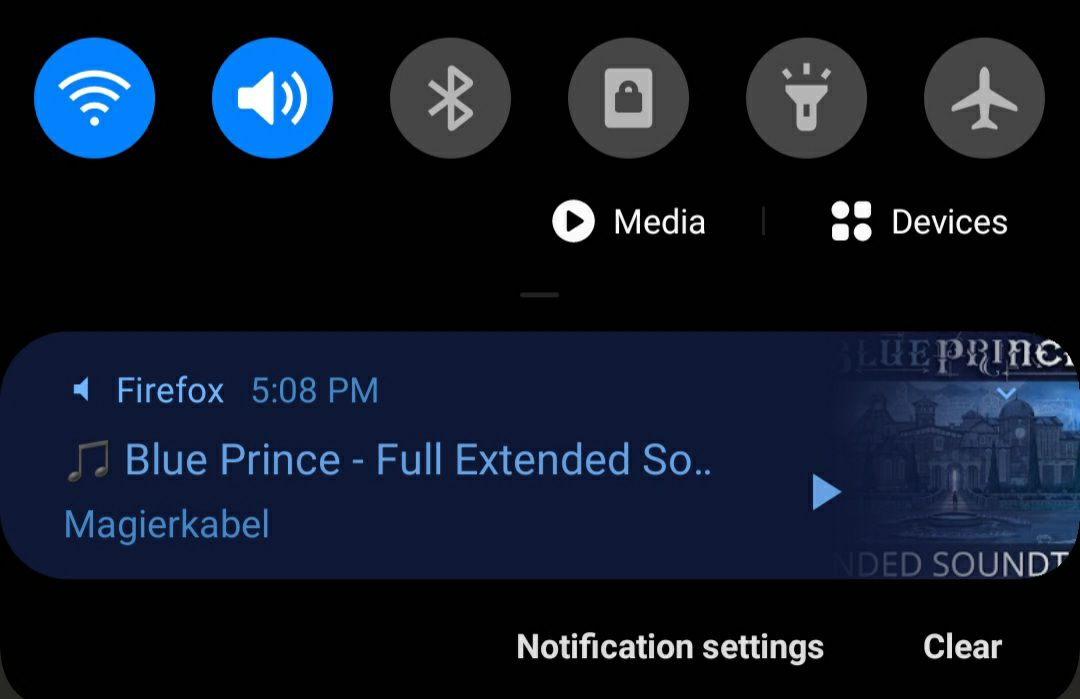
None of the settings for the media player or general notifications for Firefox seem to govern this issue, so I'm bringing it here. Thank you for taking the time to read through all of this. Please let me know if you have any suggestions for me! (I've included a photo of the notification bar for extra reference)
Hello! I've recently been having some issues getting videos to play in the background from Firefox's audio notification media player feature. I very frequently use YouTube in the Firefox browser so that I can then exit the browser and still play the audio of a video via the media player, but last night that media player stopped working for me. When I close the Firefox app, I still get the notification as usual, but tapping the "play" button achieves absolutely nothing. I've tried to search the issue and test some fixes myself, but nothing has worked so far. The fixes I've tried include: * Activated "Allow video and audio" in the Firefox Autoplay setting * Made sure autoplay was allowed in the YouTube browser tab * Tried to play the audio while connected to wi-fi and while on data * Checked for updates to my phone, YouTube, and Firefox (I am up to date) * Deployed the old "turn it off and turn it back on again" fix, both in Firefox (closing all tabs and re-opening), and for my phone (shut it down and restarted it). None of the settings for the media player or general notifications for Firefox seem to govern this issue, so I'm bringing it here. Thank you for taking the time to read through all of this. Please let me know if you have any suggestions for me! (I've included a photo of the notification bar for extra reference)
Attached screenshots

You must log in to your account to reply to posts. Please start a new question, if you do not have an account yet.