


I can't access my email content on my gmail account since your last update.
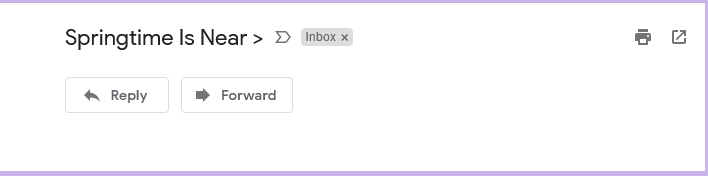
I am unsure what to list this under, but since your last update, I am unable to access content in my emails on my gmail account. There is now a pop-up add blocker and I don't know how to change the setting so that I can read my emails. Please help. Please see image below...that is what I get with all emails that I try to open.
I am unsure what to list this under, but since your last update, I am unable to access content in my emails on my gmail account. There is now a pop-up add blocker and I don't know how to change the setting so that I can read my emails. Please help. Please see image below...that is what I get with all emails that I try to open.
தீர்வு தேர்ந்தெடுக்கப்பட்டது
Check your add-ons. uBlock Origin is one which has been mentioned (clear its cache and update its lists). https://support.mozilla.org/en-US/kb/troubleshoot-extensions-themes-to-fix-problems
Read this answer in context 👍 1All Replies (1)

தீர்வு தேர்ந்தெடுக்கப்பட்டது
Check your add-ons. uBlock Origin is one which has been mentioned (clear its cache and update its lists). https://support.mozilla.org/en-US/kb/troubleshoot-extensions-themes-to-fix-problems