how to enaable hp simple pass

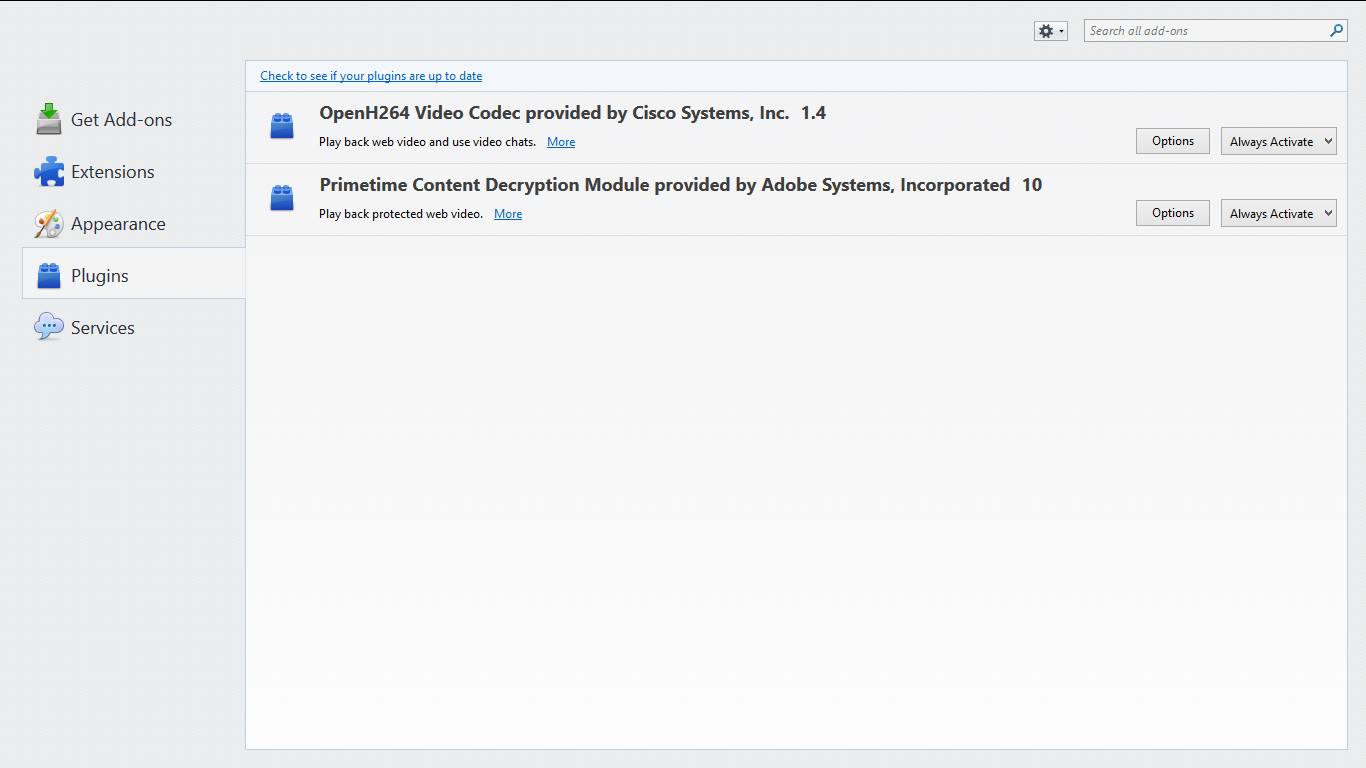
Hey I've installed FireFox and I can't use simple pass and checked the plugin I can't see the hp simple pass
Hey
I've installed FireFox and I can't use simple pass
and checked the plugin I can't see the hp simple pass
All Replies (3)
Hello there,
Unfortunately you can't use it on Firefox at the moment. HP is currently working on a new version of Simplepass, and will be releasing it eventually.
Hope this helps!
I think Machine Master knows more than I do about this particular plugin, but generally speaking, if a plugin is installed and disabled, it usually is further down the Add-ons page. Either:
- Ctrl+Shift+a
- "3-bar" menu button (or Tools menu) > Add-ons
In the left column, click Plugins. Then check for disabled plugins at the bottom in the grayed out section.
Note that some plugins need a restart to activate after you change their status.
jscher2000 said
I think Machine Master knows more than I do about this particular plugin, but generally speaking, if a plugin is installed and disabled, it usually is further down the Add-ons page. Either:In the left column, click Plugins. Then check for disabled plugins at the bottom in the grayed out section. Note that some plugins need a restart to activate after you change their status.
- Ctrl+Shift+a
- "3-bar" menu button (or Tools menu) > Add-ons
thank you for your help but I've tried i can't see the plugin as you can see