


Help selection not showing on menubar

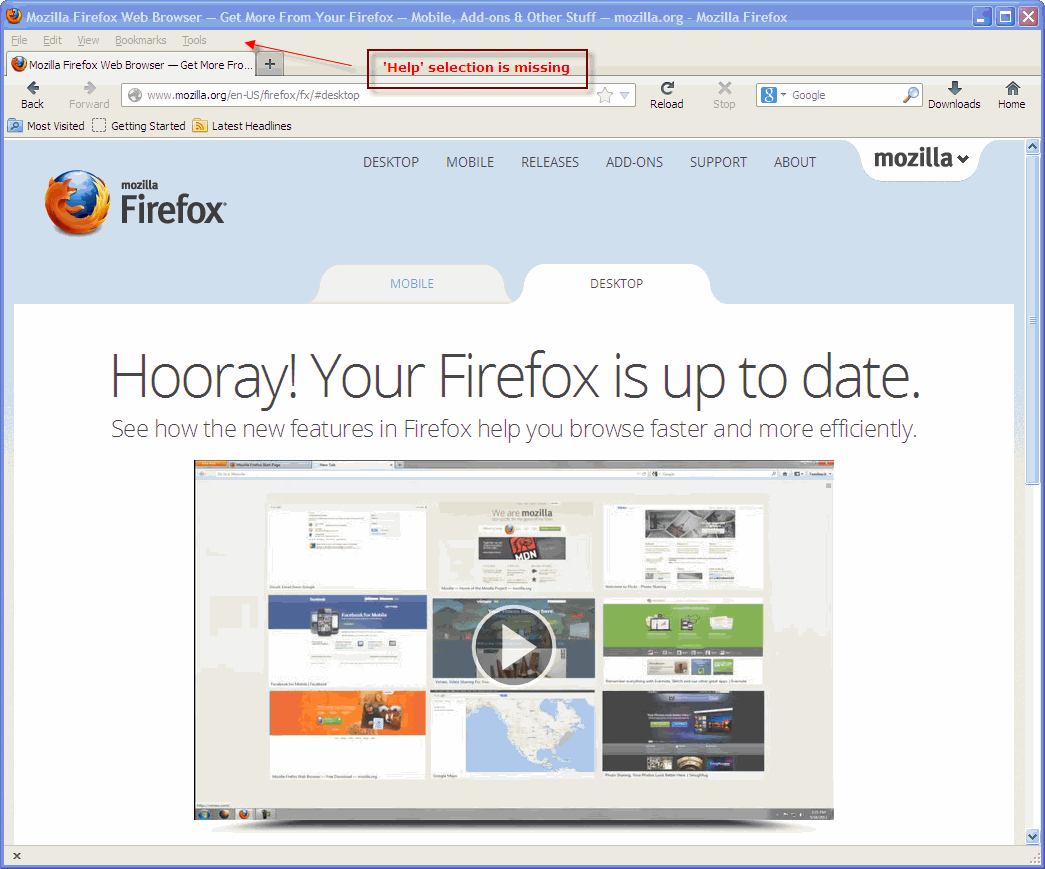
Hello, I have just updated the Firefox browser on my PC and on the menubar at the top the 'Help' selection is missing. All that is showing is 'File - Edit - View - Bookmarks - Tools'.
Why is 'Help' missing, and how can this be restored?
Vybrané riešenie
Ah, sorry, I mistyped.
Since you can't get to the Help button, do the following: in the address bar, type about:support. Press Enter. Now press Reset Firefox.
Všetky odpovede (4)
Hello,
The Reset Firefox feature can fix many issues by restoring Firefox to its factory default state while saving your essential information. Note: This will cause you to lose any Extensions, Open websites, and some Preferences.
To Reset Firefox do the following:
- Go to Firefox > Help > Troubleshooting Information.
- Click the "Reset Firefox" button.
- Firefox will close and reset. After Firefox is done, it will show a window with the information that is imported. Click Finish.
- Firefox will open with all factory defaults applied.
Further information can be found in the Refresh Firefox - reset add-ons and settings article.
Did this fix your problems? Please report back to us!
Thank you.
Hello and thanks for the quick response.
I'm not able to click 'Help > Troubleshooting information' from Firefox because the 'Help' selection is missing from the menu bar at the top. Is there another way to access 'Help' in Firefox?
Attaching a screenshot of my Firefox browser window.
Vybrané riešenie
Ah, sorry, I mistyped.
Since you can't get to the Help button, do the following: in the address bar, type about:support. Press Enter. Now press Reset Firefox.
Excellent Tyler, that worked great. The 'Help' selection has been restored to the menubar. Thanks!