


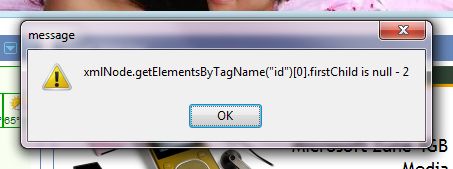
xmlNode.getElementsByTagName("id")[0].firstChild is null - 2

xmlNode.getElementsByTagName("id")[0].firstChild is null - 2
Get rid of this damn thing!!!!!!!!!!!!!!!!!!!!!!!!!!!!!!!!!!!!!!!!!!!!!!!
This happened
Every time Firefox opened
== a week ago
Vybrané riešenie
This suggestion is not working, what else can I do?
Čítať túto odpoveď v kontexte 👍 0Všetky odpovede (7)
Start Firefox in Use Troubleshoot Mode in Firefox to check if one of your add-ons is causing your problem (switch to the DEFAULT theme: Tools > Add-ons > Themes). See Troubleshoot extensions, themes and hardware acceleration issues to solve common Firefox problems and Troubleshoot issues with plugins like Flash or Java to fix common Firefox problems
If it does work in Safe-mode then disable all your extensions and then try to find which is causing it by enabling one at a time until the problem reappears. You can use "Disable all add-ons" on the Safe mode start window. You have to close and restart Firefox after each change via "File > Exit" (on Mac: "Firefox > Quit")
Vybrané riešenie
This suggestion is not working, what else can I do?
I had this problem and disabled the addon "media bar 3.0" once that was done problem went away.
xmlNode.getElementsByTagName("id")[0].firstChild is null - 2
mine was do to photo pro bar just disable one at a time it will take a while
but it is worth it tools add on and one at a time you will find the one that is doing this to you
Yep...disable PhotoPos Toolbar and it goes away. :)
I had the same problem whitin a Html Object Collection derived from input collection, not solved whit this tips:
var _radio;
var ixx;

_radio = document.getElementsByTagName("input");

for (ixx=0; ixx <= _radio.length-1; ixx++) {
    if (_radio(ixx).type == 'radio') {
        //my code here
    }
}
It's really basic, maybe I wrote something wrong :)
However I think that it's good to know this tips but enable/disable addons for customare make your application not friendly.
Thanks ;)
Upravil(a) cor-el dňa
really simple and it worked