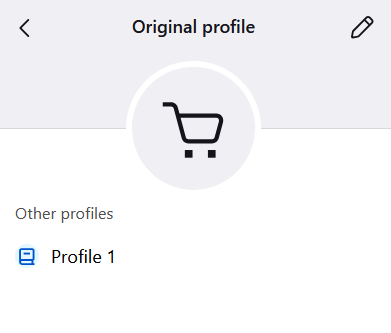
Q1: Why is there a shopping cart icon on my Firefox tab in my toolbar? Q2: What is this new "Original Profile" business and why can I not edit it?
Q1: Why is there a shopping cart icon on my Firefox tab in my toolbar? Q2: What is this new "Original Profile" business and why can I not edit it?
Všetky odpovede (4)

1. Its your profile avatar. If you wanna change it: Click on the account/profile icon on your toolbar, select Manage Profiles, click your profile, and swap the shopping cart for a different icon or name.
2. The "Original Profile" is your default browser data folder renamed by Firefox during the update. You cannot edit or delete it because it is your active, default profile currently running the open browser window. Firefox locks the active profile to prevent you from accidentally deleting or corrupting your database while the browser is actively reading and writing data to it.
My profile picture has always and consistently been something different than a shopping cart, and it always appears at the right-hand top of my screen. This shopping cart icon is showing up at the bottom of my window in my taskbar when I have Firefox open: it is partially superimposed over the Firefox icon.
If I go to my avatar in the top right-hand corner of my screen and click on it, there is Manage Account, and directly below that there is Original Profile with the shopping cart next to it. This is something new with the last Firefox update and I am not permitted to change it or get rid of the shopping cart icon.

Elaborate on "I am not permitted to change it"
Click on the Original Profile bar, and you should see the same thing as in my screenshot. Click on the pencil icon. It will open a new tab to "about:editprofile", where you can change the shopping cart icon.