


Recently Firefox was updated in Debian Linux now it is a pain

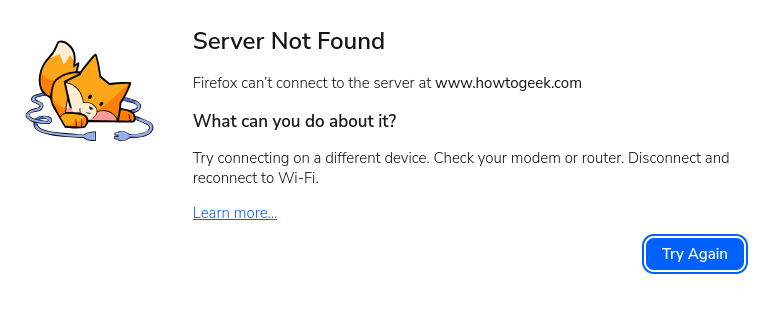
Recently Firefox was updated in Debian Linux now it is a pain Whenever I want to go to a website I get a lot of results almost all the time, see attachment the version now is 151.0.3 (aarch64) I ask some other group, I got never got help from one member just abuse, and screen shots that are wrong to my Firefox is.
Another person gave very good description, I was able to follow it and make a change, but it did not fix the problem
Všetky odpovede (7)
If you search in the settings for "DNS over HTTPS" and "proxy" configurations, can you disable that / change to defaults? Do you use any VPN?
it does have VPN top right of the browser but I do not want to use it I looked in settings I can not find "DNS over HTTPS"
Oh, I just expected the settings search functionality would be able to point you right in the appropriate section, hope it's not somehow managed or removed by your distribution. The manual steps are described here:
(both ways: if you're OFF try enabling some medium settings, it you're NOT off try disabling the feature)
(In case your network or distribution interferes with that configuration, here's the longer read: Configure networks to disable DNS over HTTPS …)
The other configuration to look into is:
(again trying going either way, automatic, system, or none to see if anything interferes with your system…)
Were you able to verify using another http client that your system can connect as expected at all? Running these from terminal has any results?
 curl -I https://howtogeek.com/

 getent ahosts howtogeek.com

 ip route get 3.222.102.97
(What was the change you were advised to make beforehand, anyways?)
I do not want to go to How to Geek That was just a example, it is lots of other website.
A few weeks ago it did not have VPN top right of the screen and it did not give any problem. Now it shows VPN it is really ...................................................... getting me upset
I don't want to go to that site either. But since it's the example you documented as not being able to connect to, I'm also using it as the only hostname I can utilize to see if the browser can either see it on your resolver, or its own.
(Feel free to substitute the debugging commands with whatever site URL you wish and their DNS/IP to test.)
If you want to hide the VPN button in the UI you can customize the toolbar. I'm not convinced that will change any networking conditions, but you're free to hide any elements you don't need easily.
The big question would hiding the VPN button fix the problem, if not forget it. I am thinking is the a linux command I can go back to the previous version, when things worked without drama.
Depending on your original distribution source, you can either move to ESR channel if they provide it, or add the repository yourself and pick the -esr package from there:
- Install Firefox on Linux (The ESR version is currently tracking v140.x branch)
You can also pick any arbitrary binary +version you like:
Please be aware though when downgrading you will most likely need to start with a clean profile as the current newer one won't be compatible.