


The installed English language does not show

Hello,
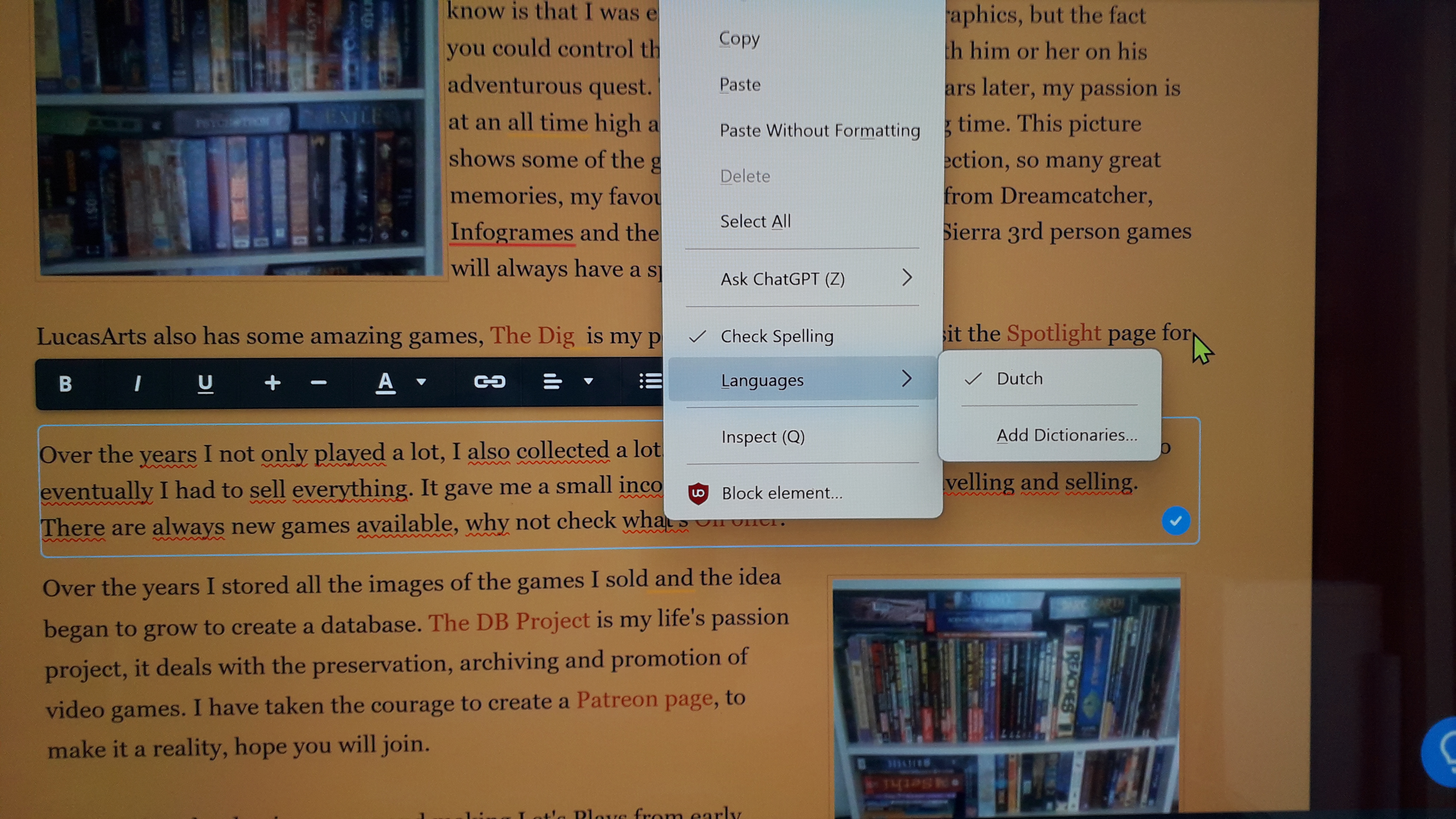
I have installed the English GB language for spellchecking, but it doesnt show in the dropdown menu. It only shows Dutch.
Please help.
Mark
Vybrané riešenie
https://support.mozilla.org/en-US/kb/how-do-i-use-firefox-spell-checker
gamecare76 said
I have installed the English GB language for spellchecking, but it doesnt show in the dropdown menu. It only shows Dutch.
It sounds like you installed the English (GB) Language Pack and not a en-GB Dictionary. Your own screenshot even gives you an essential clue on what you need for the spell checker when it says "Add Dictionaries". Language Packs are used as a way to have one Firefox install but be able to switch between two or more languages that changes the menus and settings language such in Firefox.
On top of https://addons.mozilla.org/firefox/language-tools/ in English it says.
Installing a dictionary add-on will add a new language option to your spell-checker, which checks your spelling as you type in Firefox. Language packs change your browser’s interface language, including menu options and settings.
There are three British English dictionaries in the right column though one is incorrectly referred to as a spellchecker when the inline spell checker is built in Firefox.
Čítať túto odpoveď v kontexte 👍 0Všetky odpovede (1)
Vybrané riešenie
https://support.mozilla.org/en-US/kb/how-do-i-use-firefox-spell-checker
gamecare76 said
I have installed the English GB language for spellchecking, but it doesnt show in the dropdown menu. It only shows Dutch.
It sounds like you installed the English (GB) Language Pack and not a en-GB Dictionary. Your own screenshot even gives you an essential clue on what you need for the spell checker when it says "Add Dictionaries". Language Packs are used as a way to have one Firefox install but be able to switch between two or more languages that changes the menus and settings language such in Firefox.
On top of https://addons.mozilla.org/firefox/language-tools/ in English it says.
Installing a dictionary add-on will add a new language option to your spell-checker, which checks your spelling as you type in Firefox. Language packs change your browser’s interface language, including menu options and settings.
There are three British English dictionaries in the right column though one is incorrectly referred to as a spellchecker when the inline spell checker is built in Firefox.