


Firefox is using TOO MUCH memory

Firefox is using TOO MUCH memory that I have to terminate its process every hour. My Firefox is 149.0 on Windows 10 Pro.
Všetky odpovede (7)

Post a screenshot of the the performance tab from task manager? Just want to see you computer specs.
I open double the number of tabs in Brave and Chrome (as those in Firefox) but I almost never need to terminate their processes.
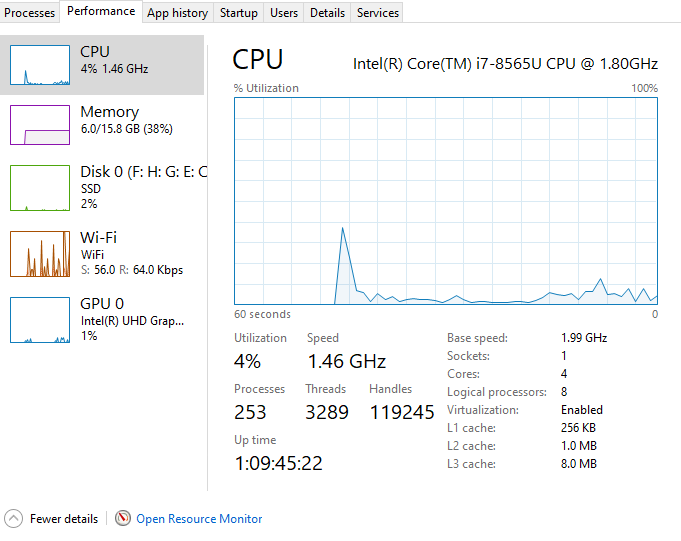
This started around the end of last year. Could be gold-plating in the Firefox codebase? Please revert to some earlier release.
Hi
Do you have many tabs open on Firefox?
Do you have any add-ons installed?
If Firefox is consuming too much memory, you can pause some expansion features and disable some paging to reduce memory usage.
I have, at any given time, - 6 tabs in Firefox - 8 tabs in Brave - 12 tabs in Chrome
The only Firefox extension I have installed is EditThisCookie and it's disabled.
Enabling hardware acceleration and deleting the content-prefs.sqlite file as recommended here https://support.mozilla.org/en-US/kb/firefox-uses-too-much-memory-or-cpu-resources didn't help.