


Vyriešené
Zoom hides items offscreen

Normally, when zoom in on a web page in Firefox, the page will adjust so the page content is still visible, by insisting the magnified content is still visible, or a vertical scroll bar is created to reveal the content.
I also run into pages where the content is only visible when the page is 100% or less.
Can this be adjusted?
Normally, when zoom in on a web page in Firefox, the page will adjust so the page content is still visible, by insisting the magnified content is still visible, or a vertical scroll bar is created to reveal the content.
I also run into pages where the content is only visible when the page is 100% or less.
Can this be adjusted?
Všetky odpovede (2)

Vybrané riešenie
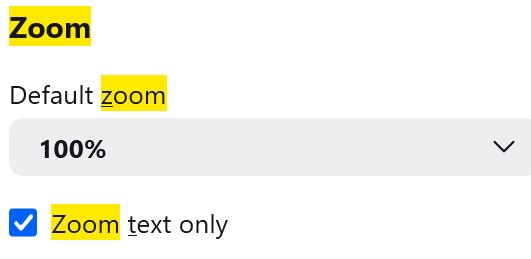
noel_envode, if you look at: View menu / Zoom / Zoom Text Only is it checked or unchecked? Does setting it the other way help?
Also have you tested in Troubleshoot Mode?
Upravil(a) TechHorse dňa
TechHorse said
noel_envode, if you look at: View menu / Zoom / Zoom Text Only is it checked or unchecked? Does setting it the other way help? Also have you tested in Troubleshoot Mode?Now I do. Thanks
Upravil(a) noel_envode dňa