How Do I remove the FIREFOX logo on my home screen

How can I get rid of that logo? I tried the "flip flag to false" and it didnt work.. I have downloaded BRAVE and will use if for now.. When someone can explain how to remove it, I will use Firefox again.. I don't like it... I like a clean home page, and would think I can have the option of removing it.
How can I get rid of that logo? I tried the "flip flag to false" and it didnt work.. I have downloaded BRAVE and will use if for now.. When someone can explain how to remove it, I will use Firefox again.. I don't like it... I like a clean home page, and would think I can have the option of removing it.
Všetky odpovede (2)
Addition.
For information purposes.
Firefox advanced customization and configuration options https://support.mozilla.org/en-US/kb/firefox-advanced-customization-and-configuration
https://www.userchrome.org/how-create-userchrome-css.html
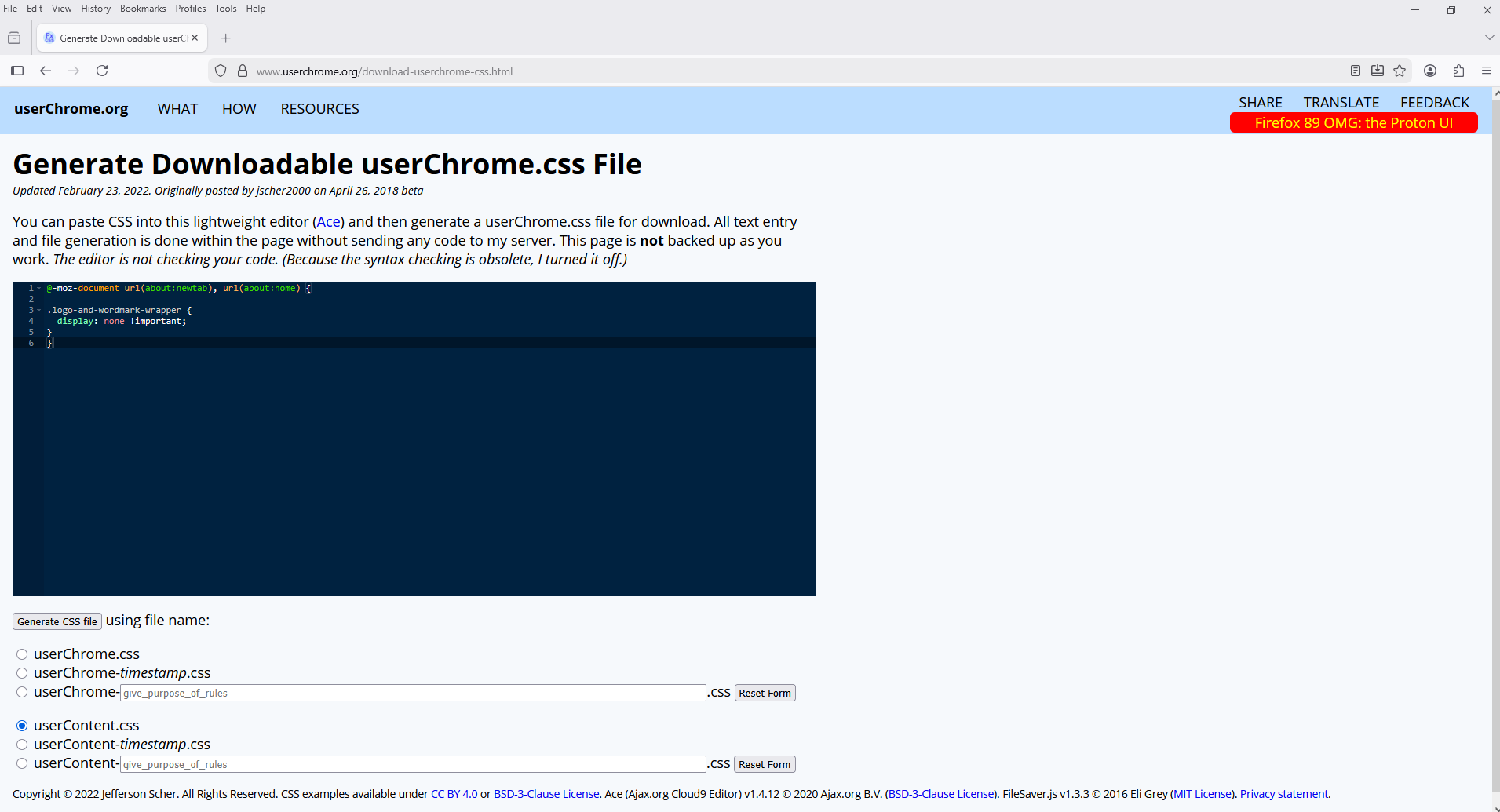
@-moz-document url(about:newtab), url(about:home) { .logo-and-wordmark-wrapper { display: none !important; } }If you have some CSS code ready to paste into a userChrome.css file, you can do that using the following page and download your userChrome.css file from there: Generate Downloadable userChrome.css File.
https://www.userchrome.org/download-userchrome-css.html
Generate CSS file userContent.css