


Windows 10 reached EOS (end of support) on October 14, 2025. If you are on Windows 10, see this article.

Vyhľadajte odpoveď

Vyhnite sa podvodom s podporou. Nikdy vás nebudeme žiadať, aby ste zavolali alebo poslali SMS na telefónne číslo alebo zdieľali osobné informácie. Nahláste prosím podozrivú aktivitu použitím voľby “Nahlásiť zneužitie”.

Ďalšie informácie
Vyriešené Archivované

Homepage shortcuts re-appeared, and setting to disable them has disappeared

Mnooper odpovedal
Mnooper

Previously, I had my firefox homepage configured to not show shortcuts or recently visited websites, as I feel it is clutter. However, recently, shortcuts have re-appeared, with no option to disable/hide them in the homepage settings (Settings > Homepage only shows Stories, Wallpaper, and app Opening Screen; see attached image). Wondering if this is a feature that was removed (if so, would love to see this reverted), if it is a bug that needs fixing, or I'm missing something.
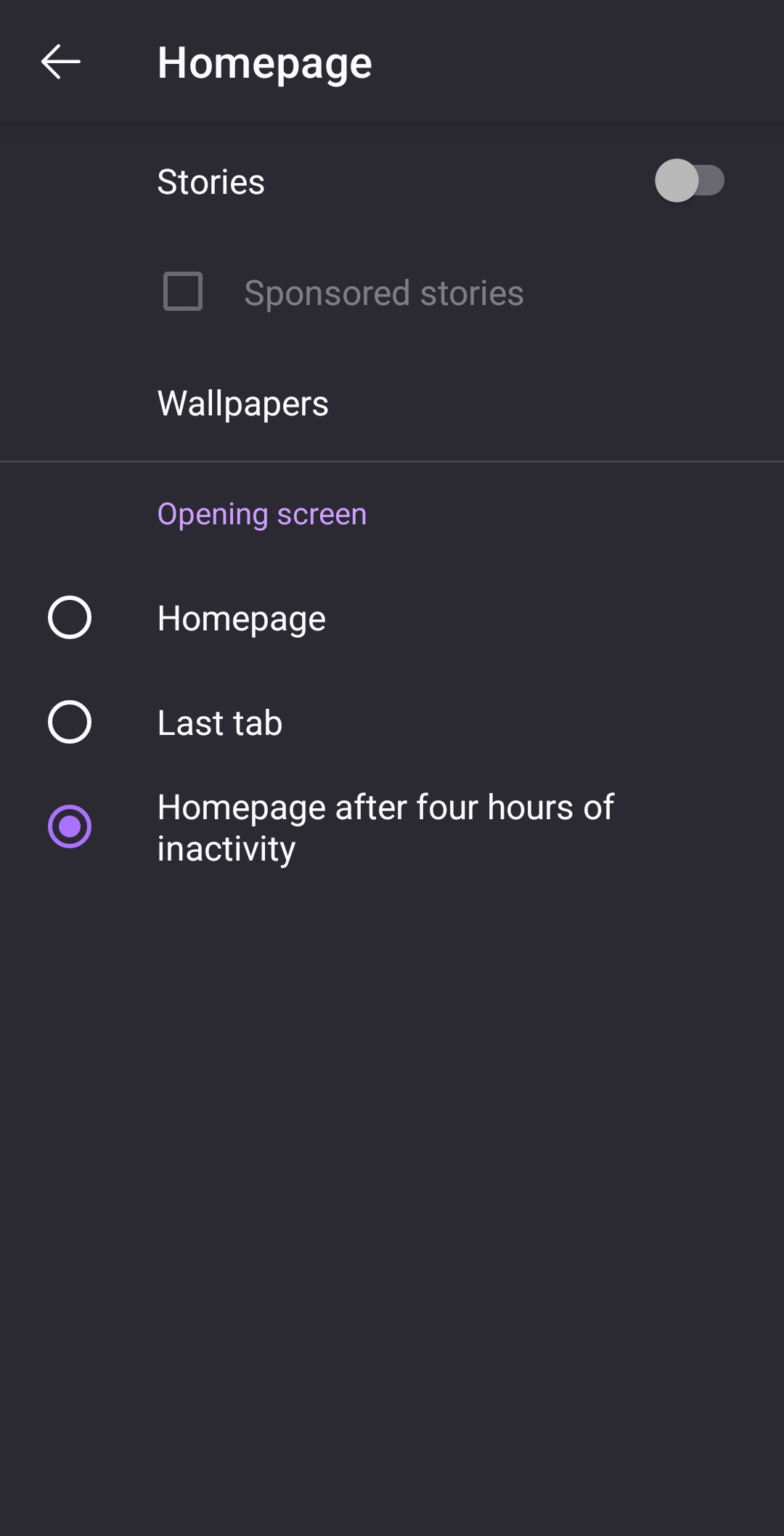
Previously, I had my firefox homepage configured to not show shortcuts or recently visited websites, as I feel it is clutter. However, recently, shortcuts have re-appeared, with no option to disable/hide them in the homepage settings (Settings > Homepage only shows Stories, Wallpaper, and app Opening Screen; see attached image). Wondering if this is a feature that was removed (if so, would love to see this reverted), if it is a bug that needs fixing, or I'm missing something.
Priložené obrázky

Všetky odpovede (1)

Vybrané riešenie

Update: This issue seems to have resolved itself, with the previous version of the settings menu restored and shortcuts hidden again. Unsure if just an app reatart managed to fix this or if something changed elsewhere. Apologies if anyone else is experiencing this problem and can't find a solution