


How to hide "Search Google" from the right menu in Firefox
I want to hide the "Search with Google" option from the right-hand menu in Firefox. I'd appreciate it if you could tell me if there's a way to do this. I previously came across an article on how to hide Firefox using userchrome.css, but I can't find it anywhere. I don't use "Search with Google," so I want to hide it. Windows11 Home 23H2 Firefox 142.0.1 64bir

Všetky odpovede (4)
Hello
Is it this subject https://connect.mozilla.org/t5/ideas/ability-to-edit-context-menus-remove-unnecessary-options/idi-p/8003
For information purposes. Firefox advanced customization and configuration options. https://support.mozilla.org/en-US/kb/firefox-advanced-customization-and-configuration
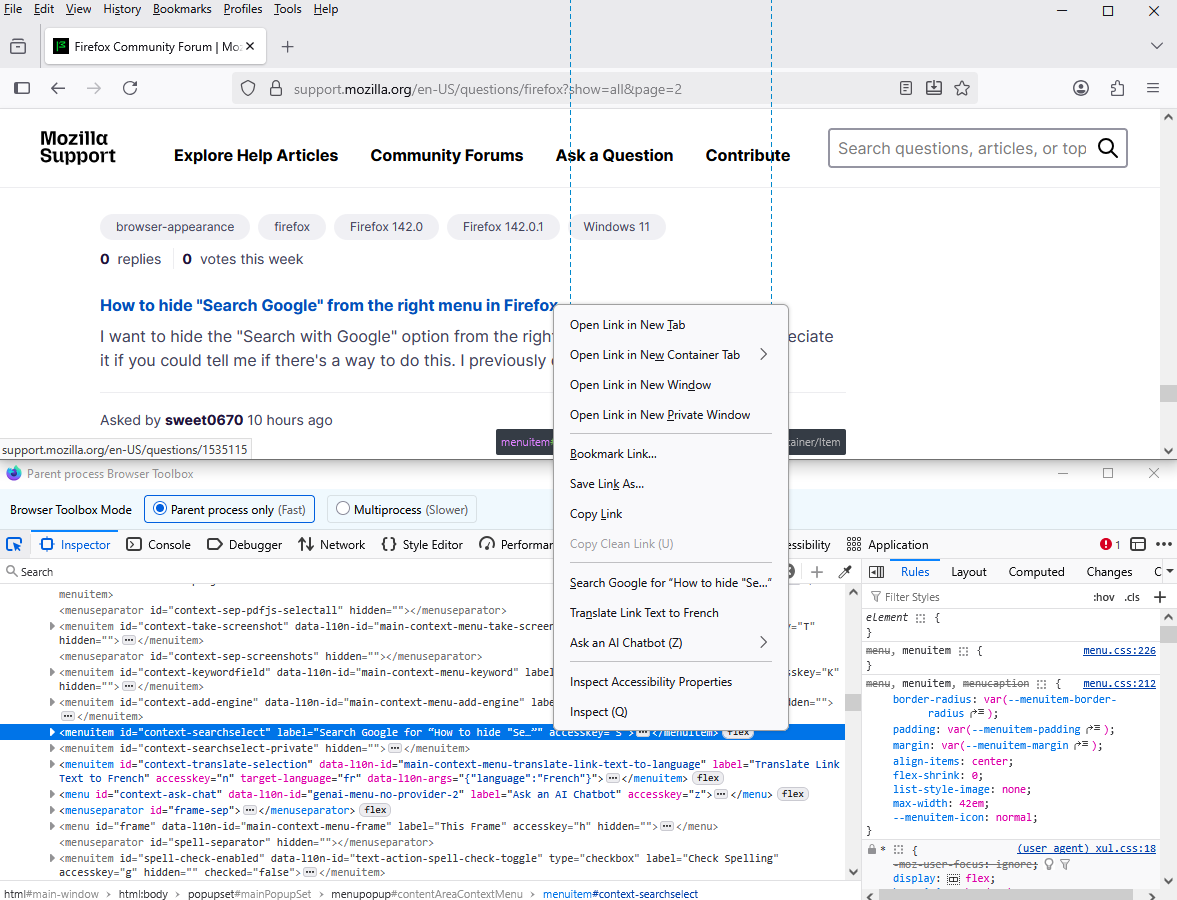
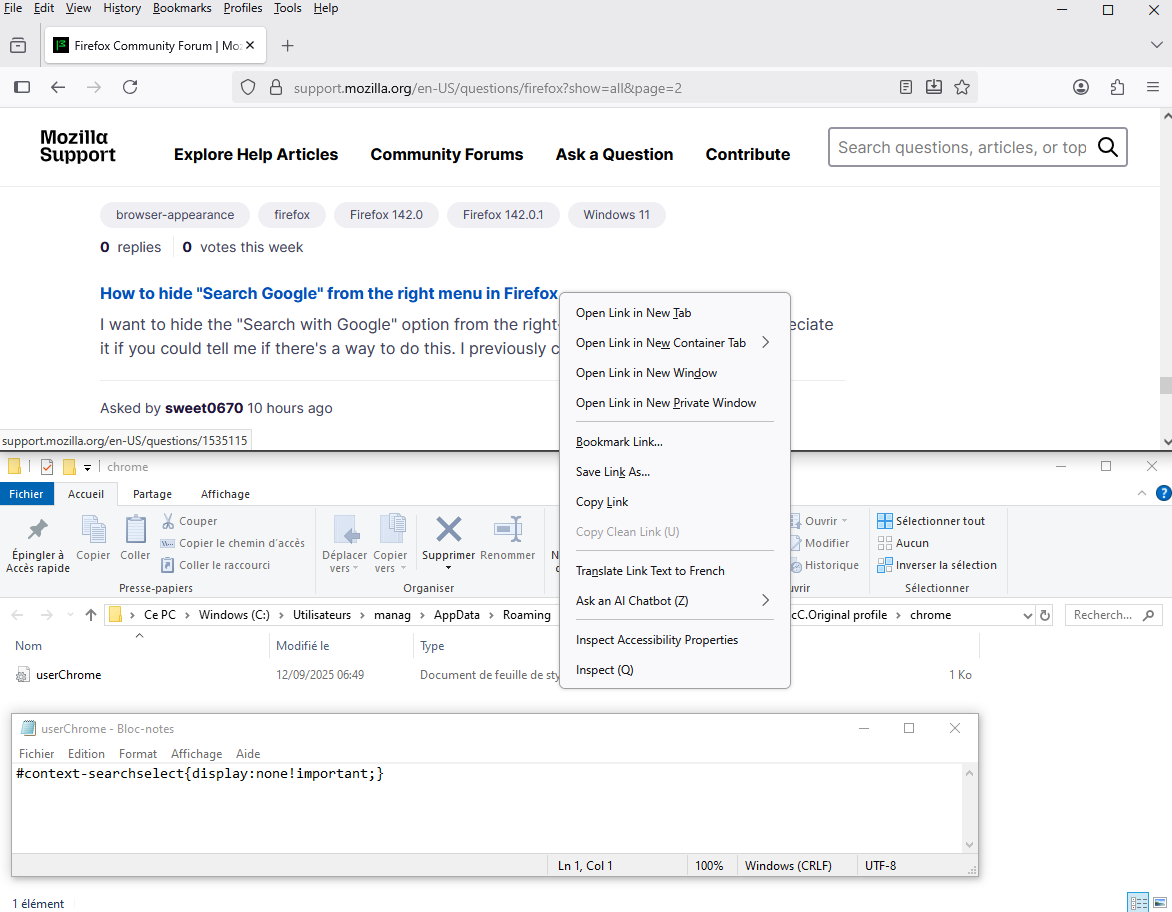
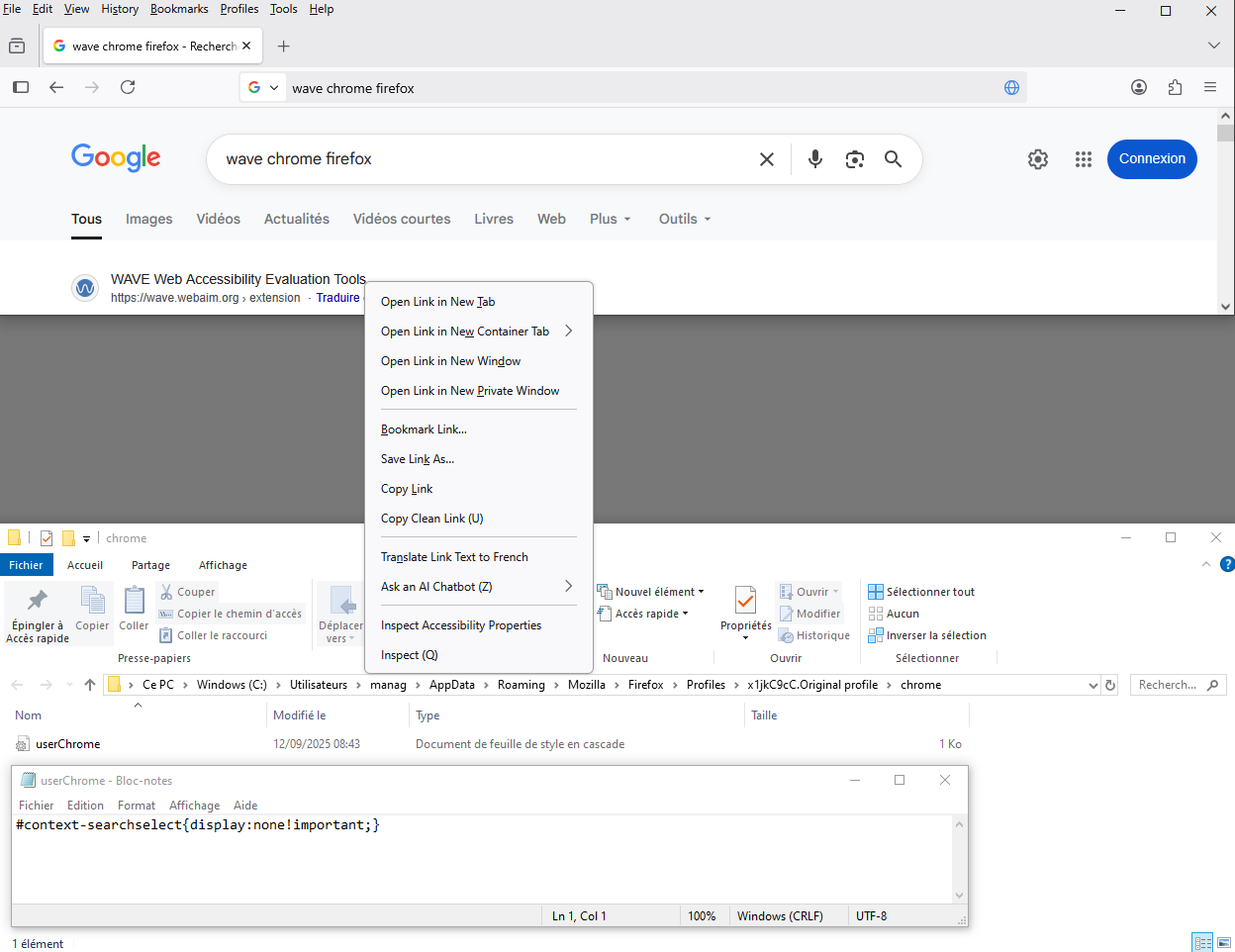
Below, an test with the help of userChrome.css file at the right.
#context-searchselect{display:none!important;}
WARNING from the moderator team: This script is not provided by Mozilla and is not officially supported.
Firefox is a work in progress and, to allow for continuous innovation, Mozilla cannot guarantee future updates won’t impact your customizations. For this reason, Mozilla does not officially support style rules customization.
Please read Firefox advanced customization and configuration options to learn more.
Upravil(a) Paul dňa
Thank you. I checked. The attached image is from Windows Explorer, but it's from a Google search. Right-click on the Google search screen to display the menu.
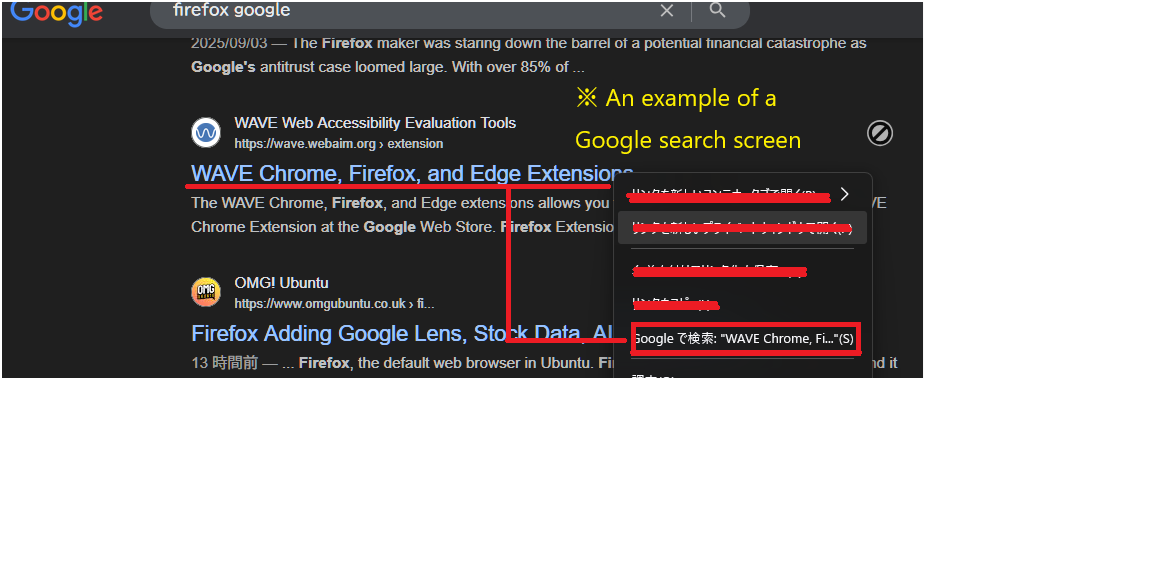
As far as i know, about Firefox.
At the left without userChrome.css - With userChrome.css at the right.
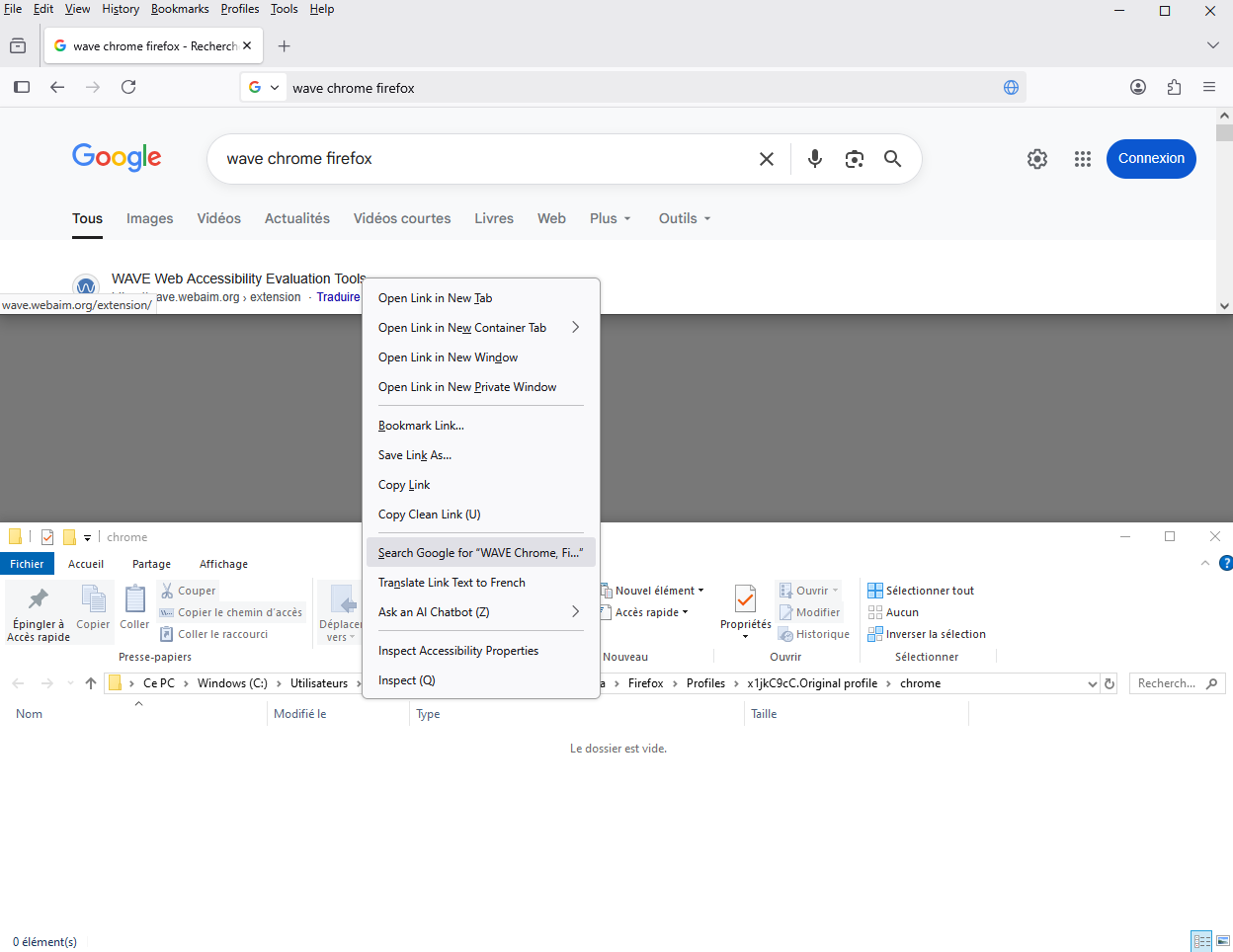
Thank you. I'll use it as is for now. Thank you for the information.