


Default search engine is set to Bing but changes to Google

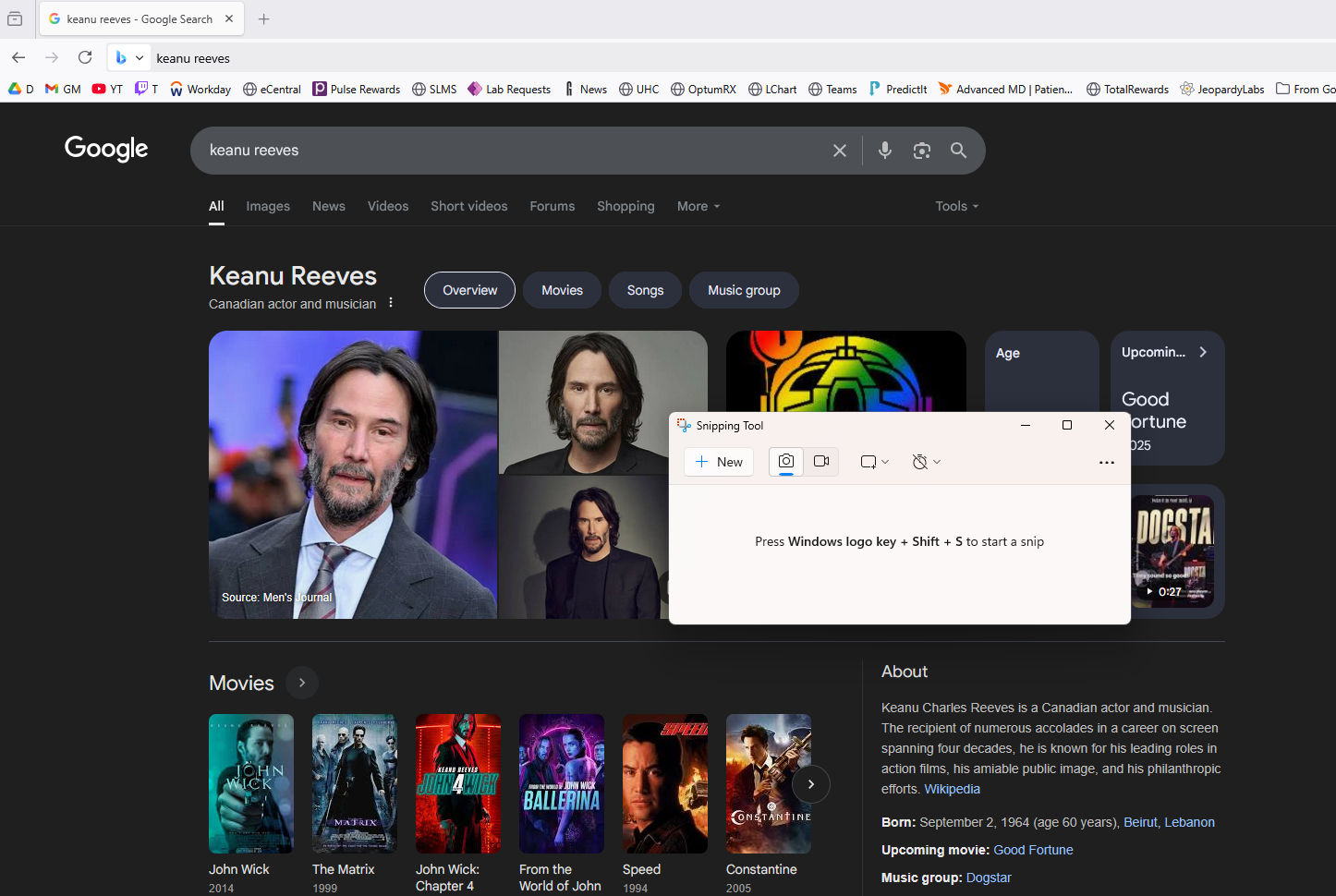
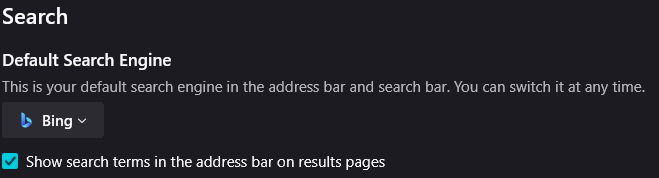
I switched my default search engine from Google to Bing. As you can see in the attached screenshot, it should be searching with Bing. But for some reason the search results are always Google. How do I fix this? I haven't refreshed Firefox yet. I was hoping to avoid that.
Vybrané riešenie
Could be internal or external. Let's start with extensions. You can view, disable, and often remove unwanted or unknown extensions on the Add-ons page. Either:
- click the Extensions button (puzzle piece) on the toolbar > Manage Extensions
- Ctrl+Shift+a (Mac: Command+Shift+a)
- "3-bar" menu button (or Tools menu) > Add-ons
- type or paste about:addons in the address bar and press Enter/Return
In the left column of the Add-ons page, click Extensions. On the right side, find the "Manage Your Extensions" heading.
If there is at least one extension before the next heading -- "Recommended Extensions" -- please continue:
Then cast a critical eye over the list below that heading. Any extensions Firefox installs for built-in features are hidden from this page, so everything listed here is your choice (and your responsibility) to manage. Anything suspicious or that you just do not remember installing or why? If in doubt, disable (or remove). For your privacy and security, don't let mystery programs linger here.
Any improvement?
Note: Sometimes extensions can frustrate access to this page. In that case, first restart Firefox in its Troubleshot Mode and then try again. See: Use Troubleshoot Mode in Firefox -- Open, not Refresh.
Čítať túto odpoveď v kontexte 👍 1Všetky odpovede (4)
That is weird.
When you're typing in the address bar, does the top line of the drop-down say "Search with Bing"?
It's still possible for an add-on to hijack your searches to a different site. They don't usually send searches to Google, though, so that part is a bit puzzling.
At the right end of the address bar, there should be a globe icon to switch from search terms to the full URL. How does that address compare to the built-in URL for Google search:
https://www.google .com/search?client=firefox-b-1-d&q=asdf
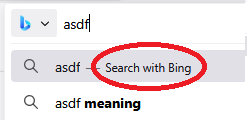
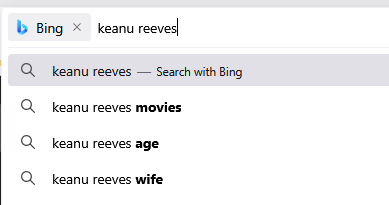
It does say "search with bing", and when I click on the globe icon, I don't see that "client=firefox-b-1-d" part that you bolded. I just see "search?q=keanu+reeves"

Vybrané riešenie
Could be internal or external. Let's start with extensions. You can view, disable, and often remove unwanted or unknown extensions on the Add-ons page. Either:
- click the Extensions button (puzzle piece) on the toolbar > Manage Extensions
- Ctrl+Shift+a (Mac: Command+Shift+a)
- "3-bar" menu button (or Tools menu) > Add-ons
- type or paste about:addons in the address bar and press Enter/Return
In the left column of the Add-ons page, click Extensions. On the right side, find the "Manage Your Extensions" heading.
If there is at least one extension before the next heading -- "Recommended Extensions" -- please continue:
Then cast a critical eye over the list below that heading. Any extensions Firefox installs for built-in features are hidden from this page, so everything listed here is your choice (and your responsibility) to manage. Anything suspicious or that you just do not remember installing or why? If in doubt, disable (or remove). For your privacy and security, don't let mystery programs linger here.
Any improvement?
Note: Sometimes extensions can frustrate access to this page. In that case, first restart Firefox in its Troubleshot Mode and then try again. See: Use Troubleshoot Mode in Firefox -- Open, not Refresh.
That was it! I had an extension that was redirecting Windows 11 searches from Bing to Google. But frankly, google searches have been very poor for me lately. I figured I'd try switching things up. Forgot I got this extension years ago. Thanks for the help!