


Exchange auth error when setting up account (accounthub) (bug1975860)

Hi,
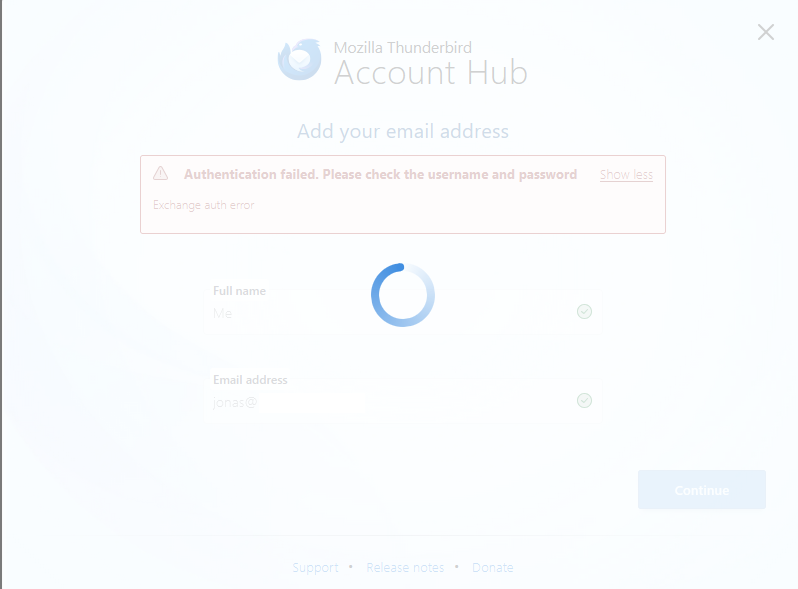
I'm trying to add another account to my Thunderbird client (already have 2, a IMAP account, and a Hotmail/Live/Outlook), but i keep getting the error "Exchange auth error" and no possible way to manually configure the server or anything, despite the mail server not being an exchange server. Following this, it just freezes the view, although i can close the popup by pressing escape.
is this a bug in the most current version of Thunderbird, or am i doing something wrong?
Upravil(a) Wayne Mery dňa
Všetky odpovede (3)
Please post a screenshot of the incoming server settings pane.

Vybrané riešenie
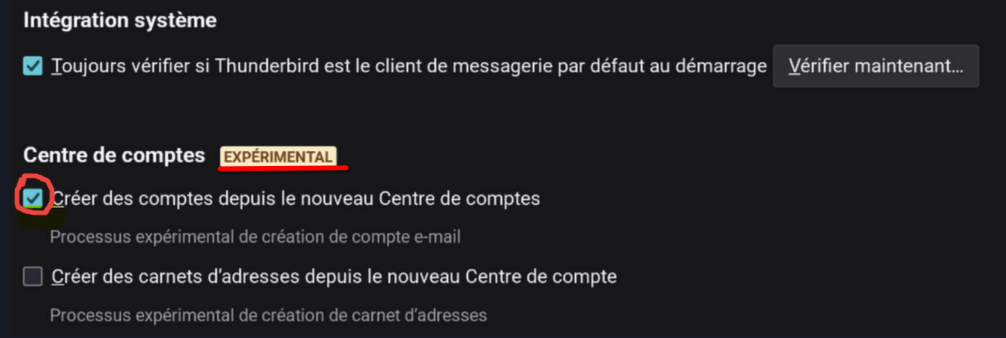
Following the update of my email client, a checked function of the new experimental account center in the settings opens for adding a new email account. I unchecked this box to return to the classic version of the email account center. Therefore, I can add new accounts.
Sorry for the late reply.
@Reda's solution worked, with the experimental setting enabled, i was unable to enter any configuration settings at all for the server, but with it disabled i could do it, and set it up proper.