Several versions running on Task Manager

Firefox has been running incredibly slow. I currently only have this window open, but if I open my task manger it shows 10 Firefox windows running. If I right click and end task, it will end the task, but shortly there after a new one will pop up. 1 of the is running in efficiency mode. I assume this is what is slowing down performance, but I do not know how to fix.

Všetky odpovede (1)

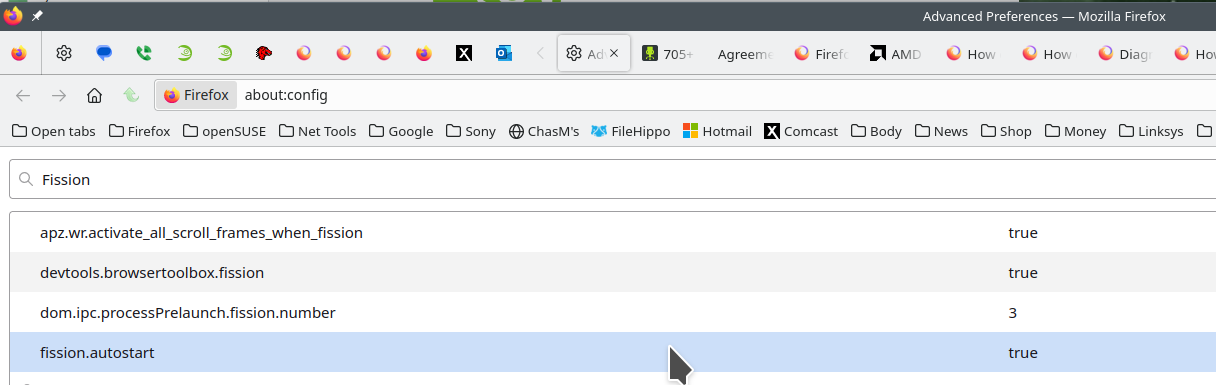
FISSION: The links are sites explaining the Firefox's Project Fission. This is the reason for the processes you see in task manager. You can turn fission off by setting it to false on the about:config page. see screenshot Here is more info. https://www.ghacks.net/2016/02/15/change-how-many-processes-multi-process-firefox-uses/
Introducing Firefox’s new Site Isolation Security Architecture https://hacks.mozilla.org/2021/05/introducing-firefox-new-site-isolation-security-architecture/
Firefox's Project Fission: better security and more processes https://www.ghacks.net/2019/02/07/firefoxs-project-fission-better-security-and-more-processes/