


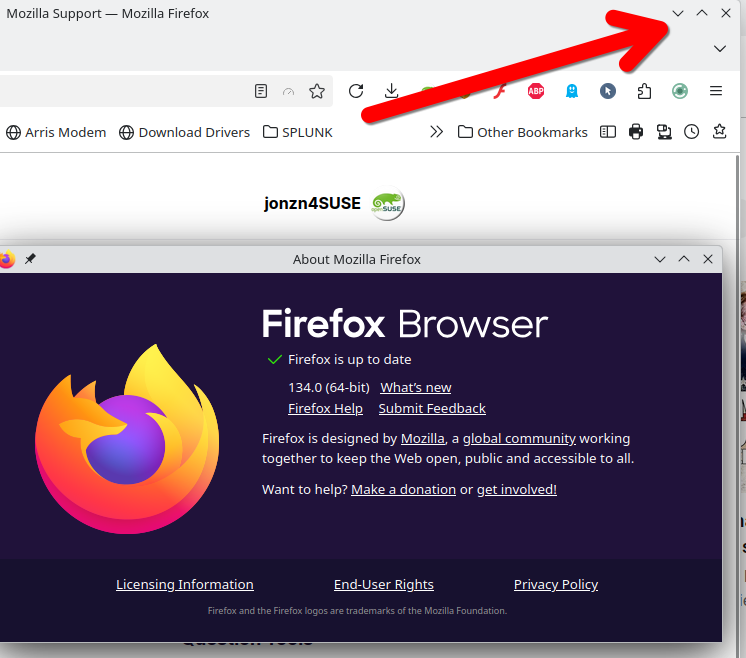
Just updated to version 134 64 bit and the minimize buttons have been removed

Just updated to version 134 64 bit and the minimize buttons have been removed. Is that supposed to happen ? There is now only a close button (X).
Všetky odpovede (5)

What OS? Sounds like an OS / Desktop issue.
Upravil(a) jonzn4SUSE dňa
Vybrané riešenie
I am using windows 10 pro.
I was able to resolve the problem by doing a "system restore" on Windows to a date prior to the Firefox upgrade date. Everything is back to normal now. I am at version 133.0.3 in Firefox now.
Are you going to try again or stay at 133 for now? If you're staying at 133 for now, mark this as resolved and we'll leave the light on for ya.
Yes, I will stay at the old version for a while in hopes that a later version beyond 134 solves the problem...
I will mark it resolved.
Just a quick update. I recently saw where the Firefox upgrade to version 134.0 from 133.0.3 on windows 10, was indeed buggy, which is exactly what I was doing .
I don't know when the fix will be available, but it was good to learn it was not my system at fault.