


Windows 10 reached EOS (end of support) on October 14, 2025. If you are on Windows 10, see this article.

Vyhľadajte odpoveď

Vyhnite sa podvodom s podporou. Nikdy vás nebudeme žiadať, aby ste zavolali alebo poslali SMS na telefónne číslo alebo zdieľali osobné informácie. Nahláste prosím podozrivú aktivitu použitím voľby “Nahlásiť zneužitie”.

Ďalšie informácie
Archivované

Thunderbird email trash

Matt odpovedal
Ken

Working with my ISP, I am trying to determine why my "trash" automatically empties itself despite my setting both in Thunderbird and in the settings with the ISP. I am at a total loss. When accessing the properties of the Trash folder, I have it set NOT to delete any emails in the retention section, but yet, when opening the program, without any notification or warning, many trashed emails have disappeared.

I would want to decide when mails are to be deleted. Can you provide any explanation or any advise as to avoid losing "trashed" emails. Thank you.

Ken Yeager - ken@wriede-yeager.de
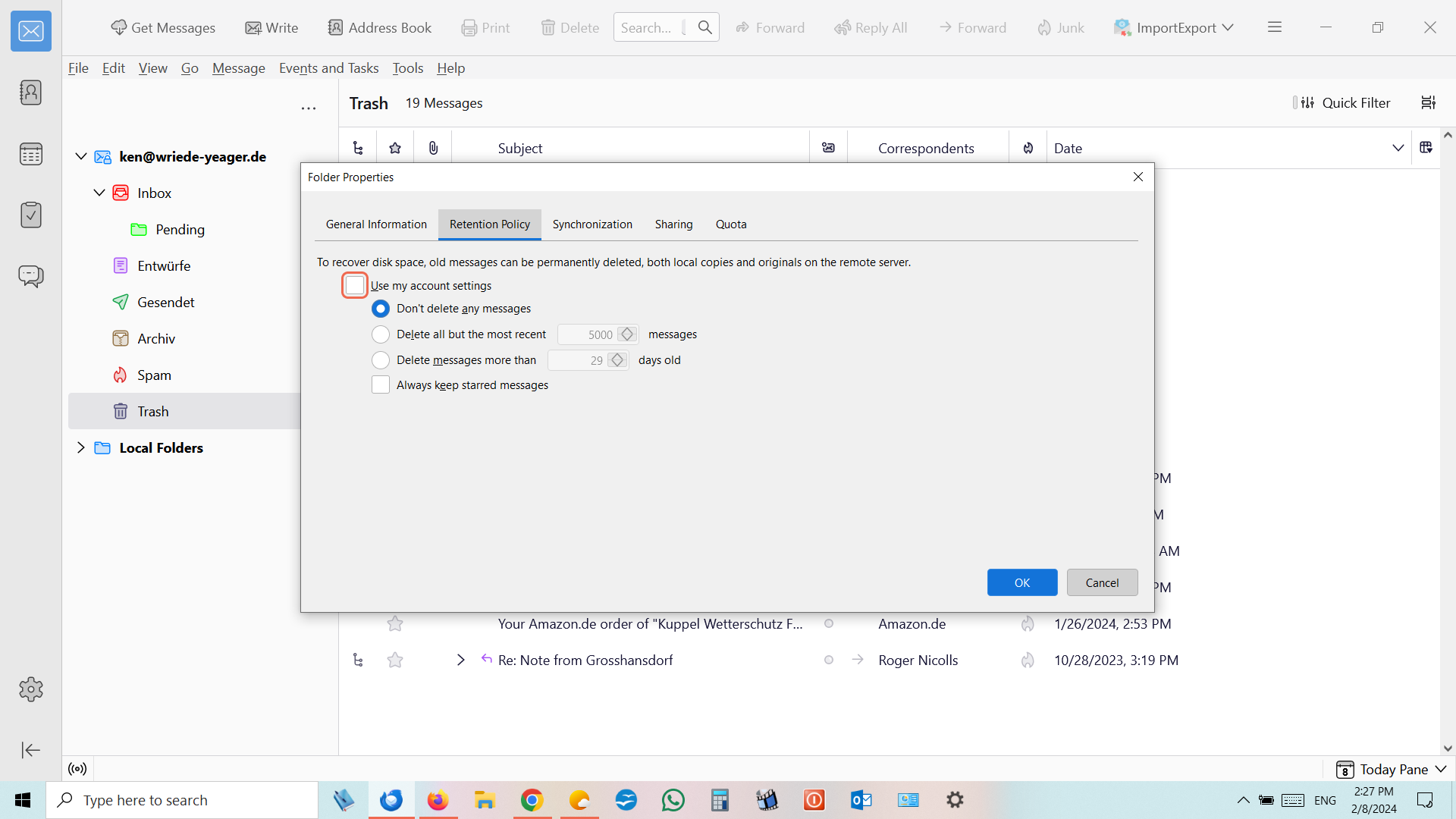
Working with my ISP, I am trying to determine why my "trash" automatically empties itself despite my setting both in Thunderbird and in the settings with the ISP. I am at a total loss. When accessing the properties of the Trash folder, I have it set NOT to delete any emails in the retention section, but yet, when opening the program, without any notification or warning, many trashed emails have disappeared. I would want to decide when mails are to be deleted. Can you provide any explanation or any advise as to avoid losing "trashed" emails. Thank you. Ken Yeager - ken@wriede-yeager.de
Priložené obrázky

Všetky odpovede (1)

Ok so you have Thunderbird set to not delete message. I have no idea what the other statistic image is supposed to show. But it is not retention policies, or settings for automatic expunge actions.