


How do I only remove search shortcuts and not all shortcuts on the home page?

How do I "only" remove search engine shortcuts from the home page, not all the shortcuts?

Všetky odpovede (4)
Vybrané riešenie
Change browser.newtabpage.activity-stream.improvesearch.topSiteSearchShortcuts to false in about:config.
You can hover a tile and open its three dot menu and click Unpin.
@cor-el
I believe you, but I'm not seeing that option. I only see "Pin" and not "Unpin." And the first reply resolved my issue, so looking at this tile isn't exactly the same as the tile I wanted to remove. (see image)
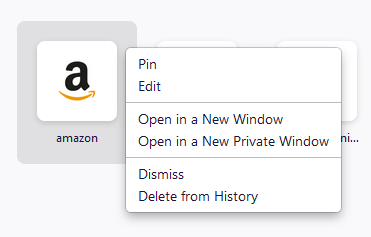
You wrote about a pinned search shortcut and your last screenshot isn't a pinned tile and also not a built-in search shortcut with a blue magnifier icon like the screenshot in your above question shows.
To remove a normal shortcut, you can click "Remove from History" to remove this tile. Dismiss stores a hash value of the URL in a pref on about:config and better is not to use this as you can only clean this pref up via about:config and you can't see what sites are blocked.
Changes made manually on the Firefox Home page are stored in prefs that you can find on the about:config page.
- browser.newtabpage.pinned => websites pinned to a tile
- browser.newtabpage.blocked => websites removed by clicking Dismiss in a tile
- https://support.mozilla.org/en-US/kb/about-config-editor-firefox