


Screenshot copied to clipboard.

Hi,
The "Take a Screenshot" function is excellent.
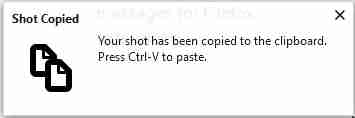
When I take a screenshot and click "Copy" to copy it to the clipboard, a pop-up above the taskbar is shown: "Shot Copied Your shot has been copied to the clipboard. Press CTRL-V to paste."
It is displayed for approx. 10 seconds unless the X in the top-right corner of the pop-up is clicked. Is there a way to perform this function but suppress the pop-up (e.g. in about:config)?
Thank you.
Všetky odpovede (1)

I have the same issue, I know I can temporarily turn off the notifications by going to the Tools / Options / Privacy & Security / Notifications / and check the "Pause notifications until Firefox restarts" box.
But that works until Firefox restarts, so I must repeat the turning off notification every time...
Why in hell does that splash notification has no option to be turned off forever!
It's been since 2018 this issue has been reported?