


Join us to show up for other Firefox users 🦊. Earn fun badges and Mozilla swag vouchers! Find out more: https://mzl.la/askafox150

Windows 10 reached EOS (end of support) on October 14, 2025. If you are on Windows 10, see this article.

Vyhľadajte odpoveď

Vyhnite sa podvodom s podporou. Nikdy vás nebudeme žiadať, aby ste zavolali alebo poslali SMS na telefónne číslo alebo zdieľali osobné informácie. Nahláste prosím podozrivú aktivitu použitím voľby “Nahlásiť zneužitie”.

Ďalšie informácie

Lost all Logins & Passwords upon refresh

  • 1 odpoveď
  • 1 má tento problém
  • 53 zobrazení
  • Posledná odpoveď od reedh1
  • Archivované

FireFox v. 85.0

Lost all logins & passwords upon "refreshing" .

I am only an intermediate level user. I have a back-up file from Bitwarden, but cannot import CSV data into Firefox.

The ONLY import facility that I can find on this version (see attached image), is the "Import Wizard" that only provides for import from: 1) "Microsoft Edge"; 2) "Microsoft Internet Explorer"; 3) "Chrome"

Three questions: 1) would all the login data that previously existed, be saved in a back-up file-- or was it simply overwritten and erased?

2) Where is the CSV file import function for the logins/passwords?

3) What is the actual file name/ext that contains the login database? Maybe I can find it that way.

Thank you for your assistance.
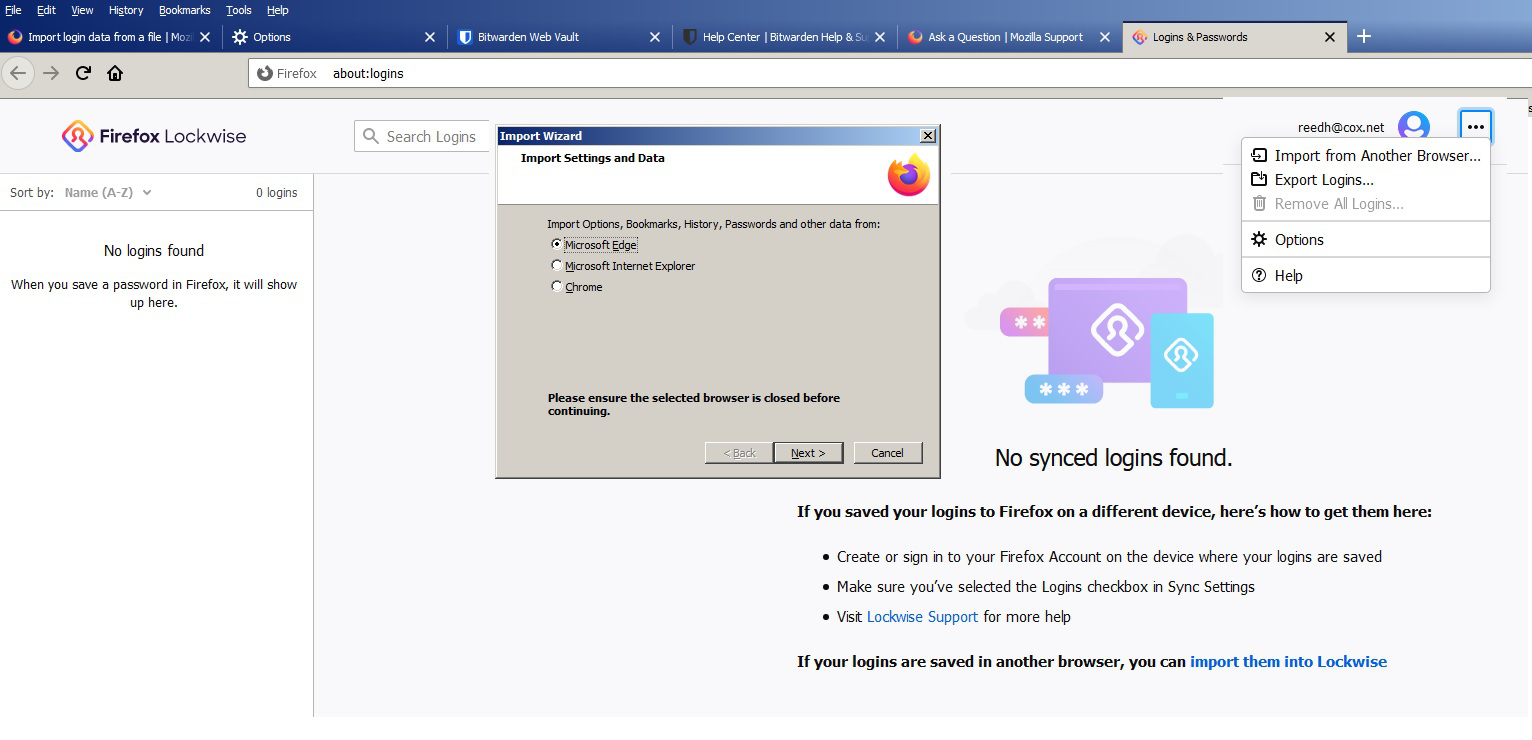
FireFox v. 85.0 Lost all logins & passwords upon "refreshing" . I am only an intermediate level user. I have a back-up file from Bitwarden, but cannot import CSV data into Firefox. The ONLY import facility that I can find on this version (see attached image), is the "Import Wizard" that only provides for import from: 1) "Microsoft Edge"; 2) "Microsoft Internet Explorer"; 3) "Chrome" Three questions: 1) would all the login data that previously existed, be saved in a back-up file-- or was it simply overwritten and erased? 2) Where is the CSV file import function for the logins/passwords? 3) What is the actual file name/ext that contains the login database? Maybe I can find it that way. Thank you for your assistance.
Priložené obrázky

Všetky odpovede (1)

As an update to my posting above, the logins/passwords still exist... I am able to use FF-Password exporter to export them, so they're there in a file somewhere... it's just that Firefox is disconnected with the data file.