


How to only auto-saved logins and passwords to websites I want?
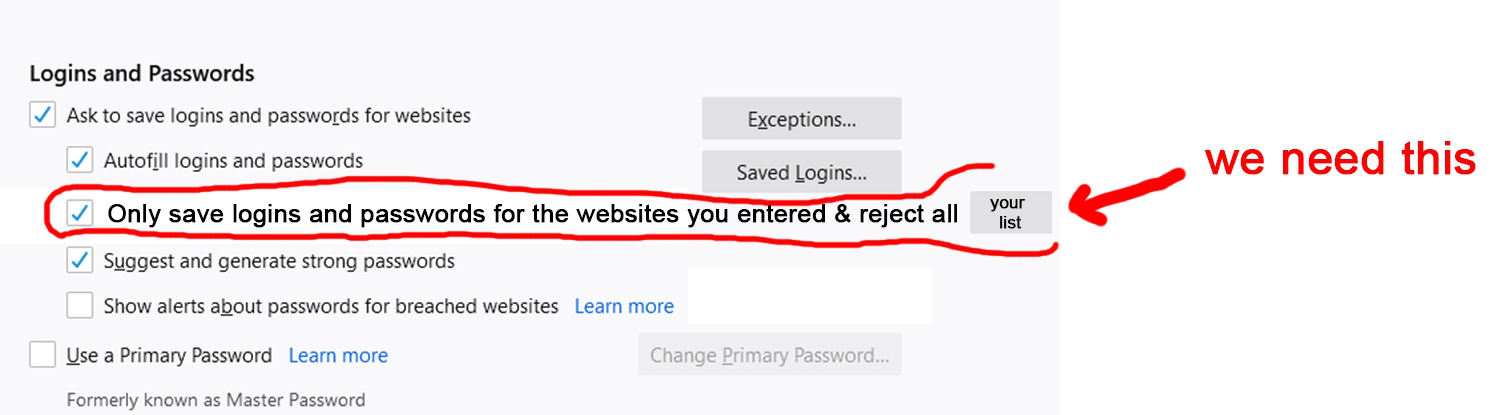
Does anyone know how I can save logins and passwords to websites I want? I dislike the current options where if I want auto-logins, it will auto login to all websites unless I entered into the "exceptions" list. Apparently, you'll likely to forget to enter a website onto the "exceptions" list, though sooner or later, you'll have a new website you created an account with and forgot to add into the "exceptions" list.
Does anyone know how I can save logins and passwords to websites I want? I dislike the current options where if I want auto-logins, it will auto login to all websites unless I entered into the "exceptions" list. Apparently, you'll likely to forget to enter a website onto the "exceptions" list, though sooner or later, you'll have a new website you created an account with and forgot to add into the "exceptions" list.
Všetky odpovede (1)
You can possibly disable saving new logins and instead use the context menu to select the login.
- Options/Preferences -> Privacy & Security: Logins and Passwords: [] "Ask to save logins and passwords for websites"
You can manually add a new login to Lockwise or temporarily re-enable storing passwords.