


How do I use css to get large navigation icons in Firefox 65?

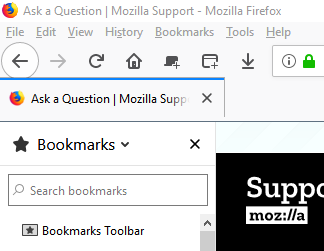
I've managed to move the tabs to not on top by pasting text from another user into my css file. But this has made the Back/Forward/Stop/Home buttons (which were large in my previous CSS) back to the default small icons. Can anyone suggest what code I need to change to get the large icons back?
I've managed to move the tabs to not on top by pasting text from another user into my css file. But this has made the Back/Forward/Stop/Home buttons (which were large in my previous CSS) back to the default small icons. Can anyone suggest what code I need to change to get the large icons back?
Všetky odpovede (1)
See this forum for a huge repository of userChrome.css codes. https://www.reddit.com/r/FirefoxCSS/