


Firefox not an option for default windows 10

The question has been answered before but still no satisfactory answer. In Windows 10 Firefox does not appear as an option for default browser in default apps.
Všetky odpovede (9)
Hi, Please open Windows 10 Settings and go to Apps then Default Apps and go down the list to Browser and Click the Icon of the Default Browser. A pop up list should appear. If Firefox is not on the list underneath in Blue is Choose Apps by File Type. Click and Open then scroll down to .htm & .html and Click. I believe Firefox will be on the 1st list and 2nd part will not matter. https://support.microsoft.com/en-ca/help/4028606/windows-change-your-default-browser-in-windows-10
Please let us know if this solved your issue or if need further assistance.
Nope, nowhere to be seen. Although I have reinstalled Firefox and use it now, it does not appear as an option anywhere
Napro11 said
Nope, nowhere to be seen. Although I have reinstalled Firefox and use it now, it does not appear as an option anywhere
Then somethings is wrong here I have W10x64 FCU with FF58.0.2x64 and my Browser options gives FF as option to be set as default as shown for my screen shot.
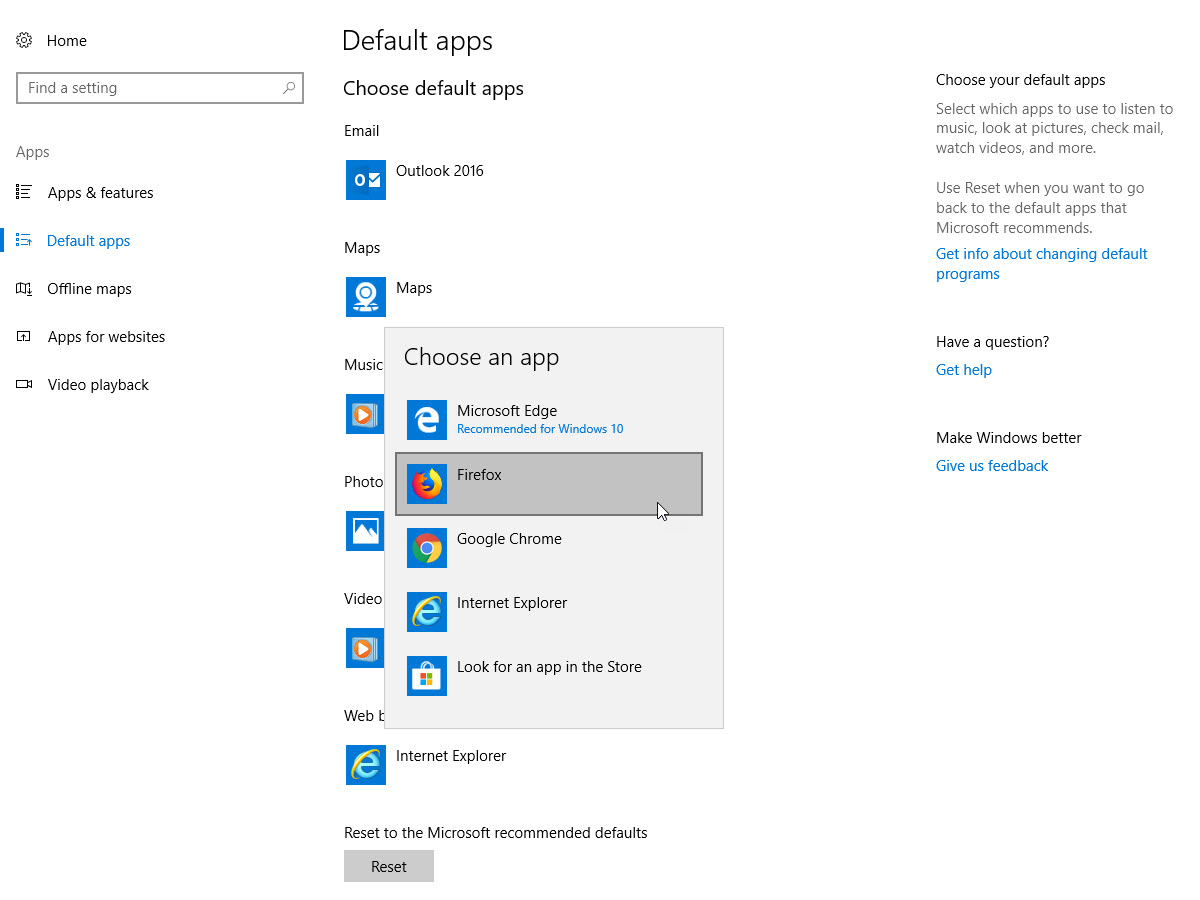
Any further thoughts? Anybody?
Did you checked "Always check if Firefox is your default browser" in Options?
It has been ON the whole time and evrytime I start Firefox it asks me if I want Firefox to be the default browser and evrytime I sy Yes, it takes me to Defaults apps but Firefox does not appear as an option when I click the existing Edge, nor when I check http and https!
Hi again, When in Settings --> Apps --> Default Apps go down the list to Web Browser and Click on the Web Browser that is there I would guess Edge.
You need to Click on the Icon then a list will come up, you may have to search for Firefox.exe
Anyway that is how it is done and is the only way to get it done.
Suggest if have issues try this : *Repair System Registry and Files
Find the Dos Prompt Right Click and Run as Administrator then : Copy/Paste to Dos Window : DISM /Online /Cleanup-Image /RestoreHealth then hit Enter After has finished repairing please Reboot. Note : DISM goes up to Microsoft for new ones.
Then try above directions to change default again, if no success as this is not a Firefox Issue, it is a Windows 10 issue please seek help in this forum: https://www.tenforums.com/
Please let us know if this solved your issue or if need further assistance.
Tried it. Nothing to repair and still no Firefox. Thank you for your help. As suggested I will now try tenforums
The Spring Creators Update will be released some time in early April. Am sure it will fix the issue then.