


Performance Options do not stay

Title.
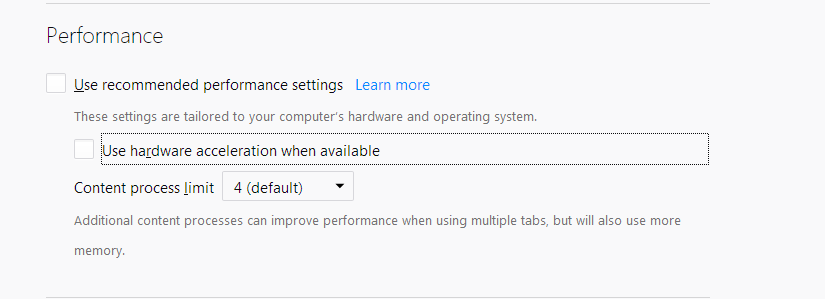
Every time I uncheck "Use recommended performance settings", then uncheck "Use hardware acceleration when available", then close and re-open firefox, the both options become checked again.
Upravil(a) HomerPepsi dňa
Všetky odpovede (3)

https://support.mozilla.org/en-US/kb/how-to-fix-preferences-wont-save
Note: Some software, like Advanced SystemCare with Surfing Protection, can protect files in the Firefox profile folder against changes. If you have such software then check the settings or uninstall this software.
FredMcD said
https://support.mozilla.org/en-US/kb/how-to-fix-preferences-wont-save Note: Some software, like Advanced SystemCare with Surfing Protection, can protect files in the Firefox profile folder against changes. If you have such software then check the settings or uninstall this software.
Not an issue here
Did you check for other causes of not keeping Options/Preferences settings from the article?
Delete possible user.js and numbered prefs-##.js files and rename/remove the prefs.js file to reset all prefs to the default value including prefs set via user.js and prefs that are no longer supported in current Firefox releases.
You can use the button on the "Help -> Troubleshooting Information" (about:support) page to go to the current Firefox profile folder or use the about:profiles page.
- Help -> Troubleshooting Information -> Profile Directory:
Windows: Show Folder; Linux: Open Directory; Mac: Show in Finder - http://kb.mozillazine.org/Profile_folder_-_Firefox