


When people send me an invitation I can only accept as "timo@local.host" and not with my configured email address. Can I change this?

I have configured Lightning for Thunderbird and I have only configured one email adress from work (timo.buehler@univie.ac.at). When people send me invitations or when I send invitations for events it's always shown and sent as "timo@local.host". That get's people confused especially when they invite me and don't get the response from the mail adress they sent it to. So my invitation in their mail program will always be on "Not replied". Is there any way to change this? So that a calender invitation get's accepted or rejected by "timo.buehler@univie.ac.at"
Due to restrictions of university I'm using Thunderbird 45.7.0 and Ligthning 4.7.7
Thanks for your help!
Timo
Vybrané riešenie
Thank you for your reply! I did make these changes for the E-Mail field but it didn't work. I did try all night and by changing the WebDAV Server it suddenly worked. Seemed to be a problem with the old server.
Čítať túto odpoveď v kontexte 👍 0Všetky odpovede (3)
See the screenshots for reference
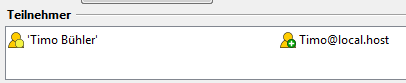
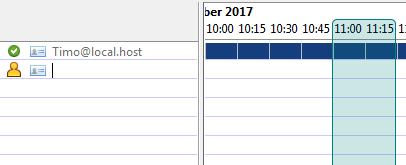
I guess this happens because you log in to some local piece of software for email that makes Thunderbird "think" that timo@local.host is your actual sender email for invitations by default.
Can you have a look at the Changing Calendar Preferences article and see if changing the email address for the E-Mail field fixes it? That should work for sent invitations, so I assume it will for confirmations too.
Side note: consider editing your previous message so that your email address is not exposed, unless you love spam.
Vybrané riešenie
Thank you for your reply! I did make these changes for the E-Mail field but it didn't work. I did try all night and by changing the WebDAV Server it suddenly worked. Seemed to be a problem with the old server.