Urgent-Does'nt display my website logo in mozilla (shows in all other browsers) My Website Link @ http://goo.gl/WUbhTS

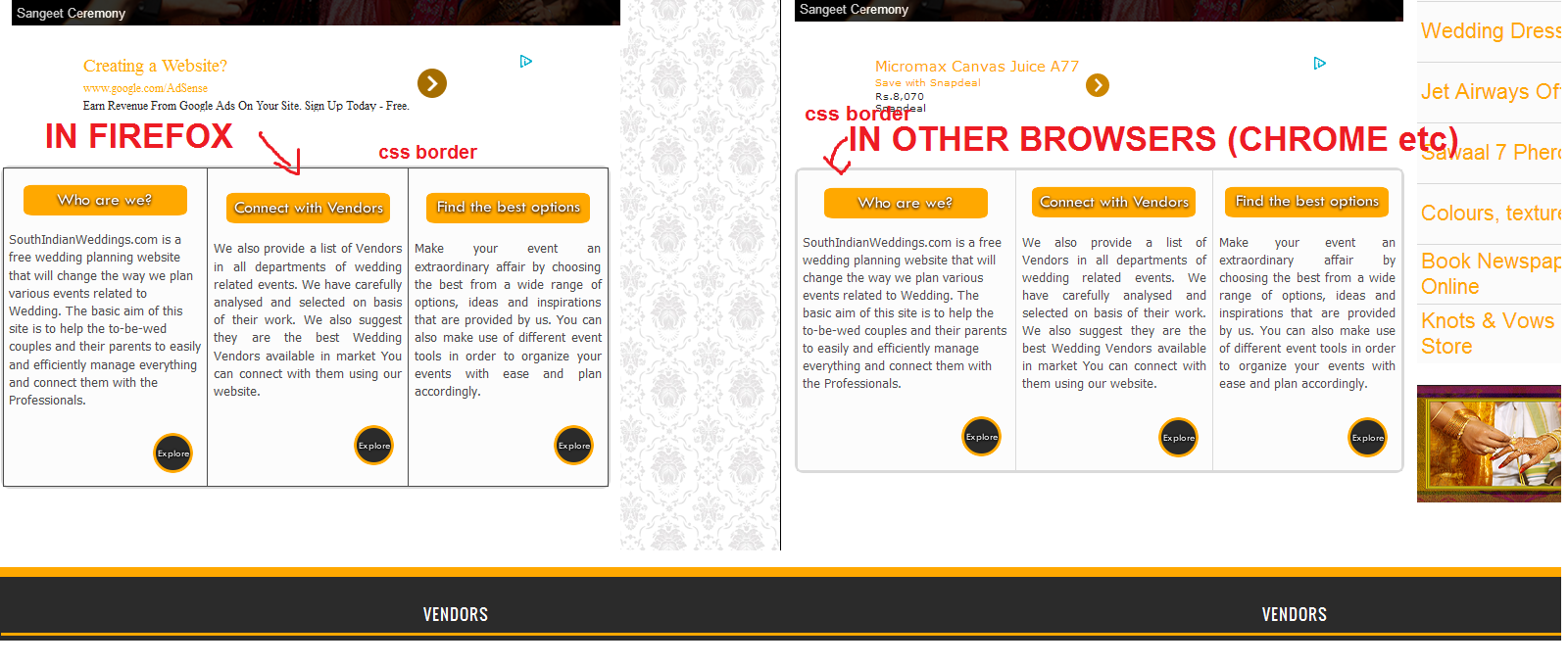
My Website @ http://goo.gl/WUbhTS uses blogger platform and doesnot display the Logo on Firefox, whereas all other browsers display the logo. The logo is in .png format. Also CSS is also not supported in firefox. Kindly check my website in different browsers to understand better.
Thanks
SW Team
Toate răspunsurile (4)

Hello,
I could see the logo of your website on the tab. Can you please be more specific about what exactly is the issue you are seeing with the CSS on the site? From what I could see, there are no issues when viewing your website.
Thank you
If images are missing then check that you aren't blocking images from some domains.
- Press the F10 key or tap the Alt key to bring up the hidden "Menu Bar" temporarily.
- Check the permissions for the domain in the currently selected tab in "Tools > Page Info > Permissions"
- Check "Tools > Page Info > Media" for blocked images
- Select the first image link and use the cursor Down key to scroll through the list.
- If an image in the list is grayed and "Block Images from..." has a check-mark then remove this check-mark to unblock images from this domain.
Make sure that you do not block (third-party) images, the permissions.default.image pref on the about:config page should be 1.
Make sure that you haven't enabled a High Contrast theme in the Windows/Mac Accessibility settings.
Make sure that you allow pages to choose their own colors.
- Tools > Options > Content : Fonts & Colors > Colors : [X] "Allow pages to choose their own colors, instead of my selections above"
Note that these settings affect background images.
See also:
There are extensions like Adblock Plus (Firefox/Tools > Add-ons > Extensions) and security software (firewall, anti-virus) that can block images and other content.
See also:
The Logo appears in Tools > Page Info > Media....but doesn't display, and link of the logo is http://3.bp.blogspot.com/-w_KX3dsYHrE/Uq6uANHCxvI/AAAAAAAAED8/IQghZN_x2WI/s1600/7_SW_Logo_beta.png

Thanks
Team SW
Hi gnittala,
please check out the attached screen shot...the css for border doesnt appear in firefox. Also fonts appear with a bit of more spacing