


Firefox can't display some webpages properly.Even makes them unusable or really hard to use.

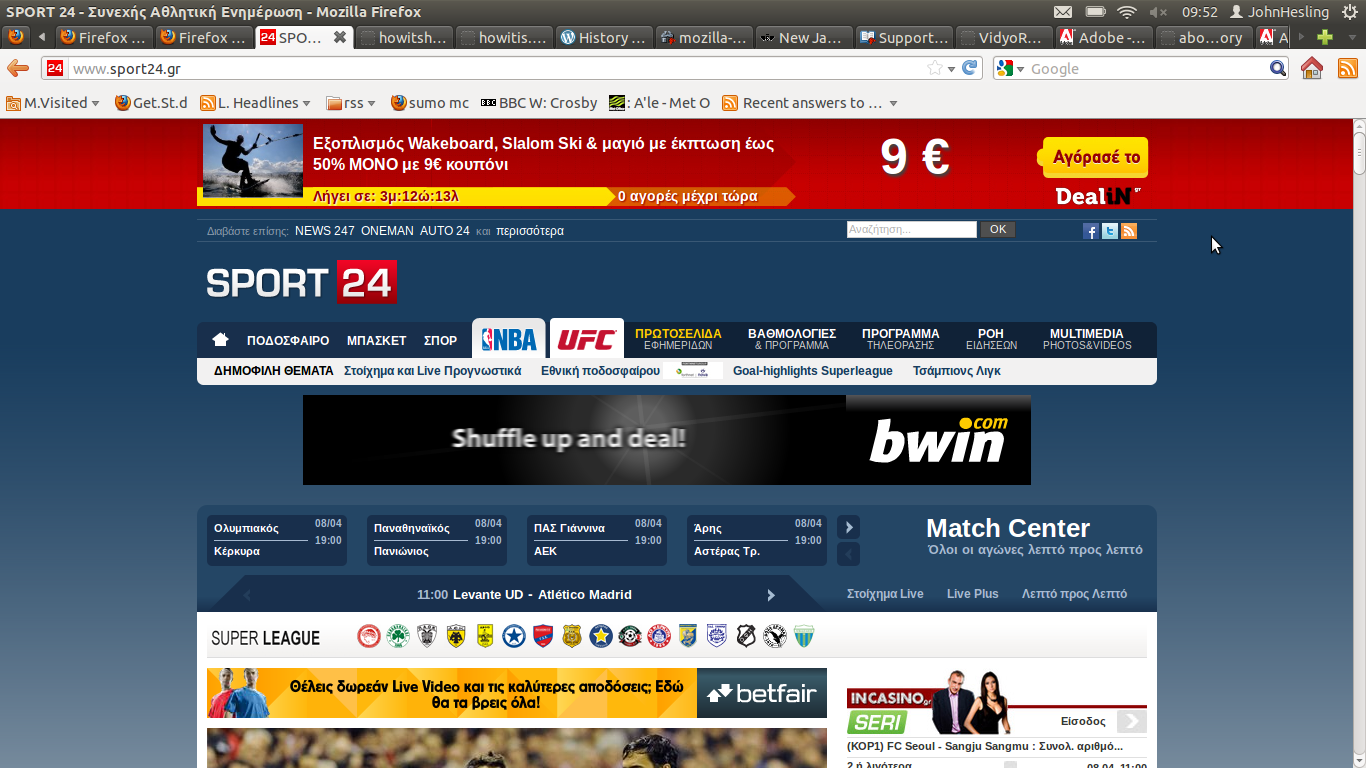
Here's an example of one I use frequently. How the page should have been displayed by Firefox (using Google Chrome to make the screenshot) http://img685.imageshack.us/img685/690/howitshouldhavebeen.jpg How Firefox displays it http://img85.imageshack.us/img85/652/howitis.jpg


Soluție aleasă
Additionally you can also check if this happens in a new profile. If the new profile is okay, you can later copy the needed personal data from the old profile and start using the new profile. You can then delete/troubleshoot the old proile. Firefox stores your personal data and settings in another location (profile folder) separate from its folders/files. A new profile would have the default Firefox settings in Tools (Alt + T) > Options and about:config, and usually would also be empty of Extensions and themes (Appearance) in Tools > Add-ons, and their settings. Also, a new profile would have no previous stored website cache/cookies/data/preferences: Tools > Clear Recent History.
Citește răspunsul în context 👍 1Toate răspunsurile (7)
Seems to work ok for me I have attached a screenshot from Firefox.
Try clearing the browser cache and maybe also the site cookies. Then consider what else could be interfering with this site and its css. Script or addblockers are possible causes of problems, but almost any software extension to Firefox may interact in some way, so try Firefox in safemode with only the default theme.
See
- how to clear the cache
- safe mode
No need to make changes in the checklist window you see first. Just click on continue. - troubleshooting extensions and themes
- websites look wrong
Soluție aleasă
Additionally you can also check if this happens in a new profile. If the new profile is okay, you can later copy the needed personal data from the old profile and start using the new profile. You can then delete/troubleshoot the old proile. Firefox stores your personal data and settings in another location (profile folder) separate from its folders/files. A new profile would have the default Firefox settings in Tools (Alt + T) > Options and about:config, and usually would also be empty of Extensions and themes (Appearance) in Tools > Add-ons, and their settings. Also, a new profile would have no previous stored website cache/cookies/data/preferences: Tools > Clear Recent History.
Modificat la de Vivek
I noticed you have installed Adblock for Firefox and that it is blocking some of your page contents, can you please try disabling adblock on that page and let us know if that helped.
~Ducklz
I doubt AdBlock has anything to do with this cause I've been using it for sometime now without any sign of conflict.I forgot to mention that other pages have similar problems like Facebook.Generally I think the problem occurs in webpages which run some script for movement.You know like Facebook which moves the latest on top of the page and the other news slide down.The problem does not occur in the forums I visit.Now I'm gonna try what you suggested.
Guys I can't explain what happened! 1.I cleared the suggested options with CCleaner.Started Firefox problem remains. 2.I cleared the cache.Problem remains 3.Started in Safe Mode.Ploblem Solved 4.Created new profile.Problem solved So I decided to go back to my original profile to find out if AdBlock was really the problem.I switched to my original profile and kaboom! everything works fine!What happened???
There may have been a corrupt file or setting in your initial profile that has been corrected by doing as you have done (Clearing the cache/safe-mode etc..)
It's intriguing, but either way please mark the appropriate post as your solution (I personally think it was a combination of John99's post and Vivek.Wilfred)
Just to be sure, with-out safe-mode on, can you clear the cache one more time and reload the page?
~Ducklz
Modificat la de Ducklz
I cleared the cached,reloaded and everything is still fine.I will restart Firefox just in case but I doubt anything will go wrong.Thank you guys I really didn't want to start using chrome as default!