


The New Tab button on the right side of the last tab is missing.How do I get it back?

The New Tab button on the right side of the last tab is missing on the Tab bar How do I get it back?
Toate răspunsurile (4)

For now, you can try using Ctrl + t to open new tabs if you can't open them otherwise, but try right clicking the tabs bar, clicking "customize," and then in the window that comes up try clicking the "restore default set" button. I don't know if it will work in your case but it wouldn't hurt to try.
Modificat la de ace_of_the_arts
Hi
The "restore default set" button sorted it out. Thanks very much.
I tried what "ace_of_the_arts" said nothing.....there was a button in the customize menu box, but since last update it is gone ?
tried all kinds of ideas, but so far no help
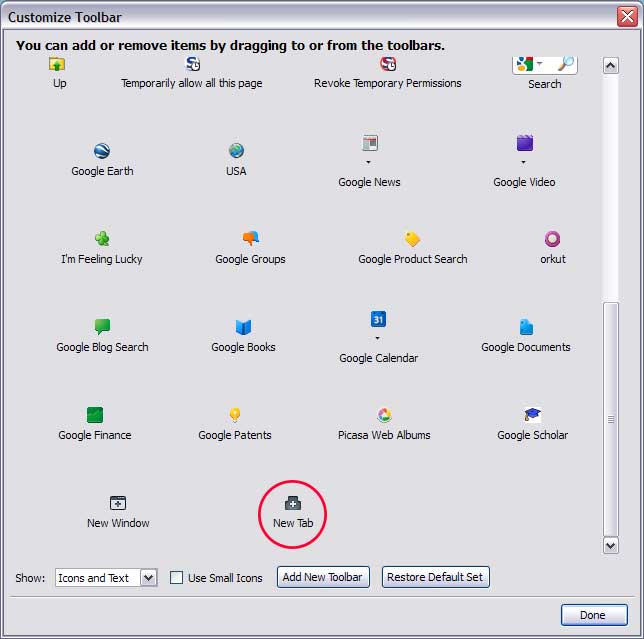
You can find the New Tab button showing as a '+' on the Tab bar.
You can open the Customize window and drag the New Tab button that shows as a plus sign (+) from the Tab bar on another toolbar and it will become a regular toolbar button like the New Tab button that you have in Firefox 3 versions.
If you can't find the new tab button then click the "Restore Default Set" button in the Customize window.
If you want the New Tab button at the far right end of the Tab bar then place a flexible to the left of it.
- New tab toolbar button: https://addons.mozilla.org/firefox/addon/new-tab-toolbar-button/