Firul de discuție a fost arhivat.
Adresează o întrebare nouă dacă ai nevoie de ajutor.

Arhivate
I've lost my sync key and therefore cannot connect. What do I do now?

When following the "Firefox Sync is not working" Troubleshooting, the "I lost my sync key" doesn't appear when I put in random characters.
"You will see a notification that your Sync Key is wrong. Click the new link that appears - I have lost my Sync Key"
All it says when I follow these instructions is: "Wrong Sync Key".
When following the "Firefox Sync is not working" Troubleshooting, the "I lost my sync key" doesn't appear when I put in random characters.
"You will see a notification that your Sync Key is wrong. Click the new link that appears - I have lost my Sync Key"
All it says when I follow these instructions is: "Wrong Sync Key".
Toate răspunsurile (1)
I have a solution for that problem ! ;)
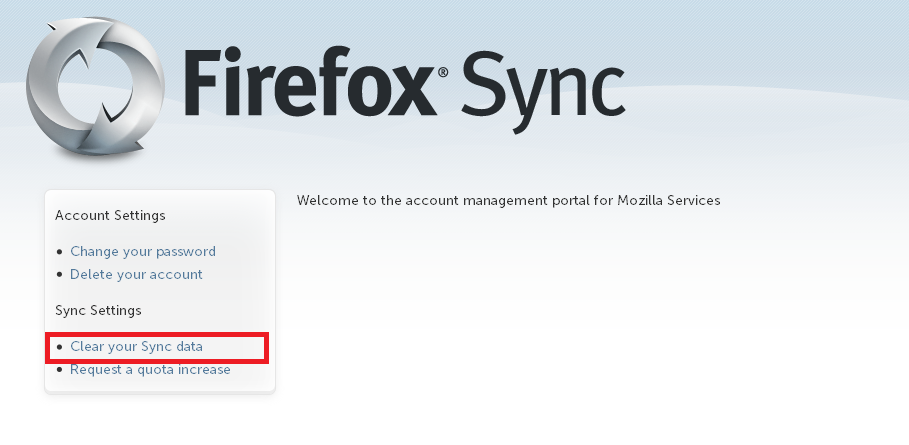
- Login there: Firefox Sync
- Click on the: Clear your Sync data (See PrintScreen)
- Go to the Sync Settings, and you will get an automate sync key
I don't know, why and how, but it worked for me... This solution is from a lucky trial.... :)
IMPORTANT: Your Sync Datas will be lost...