


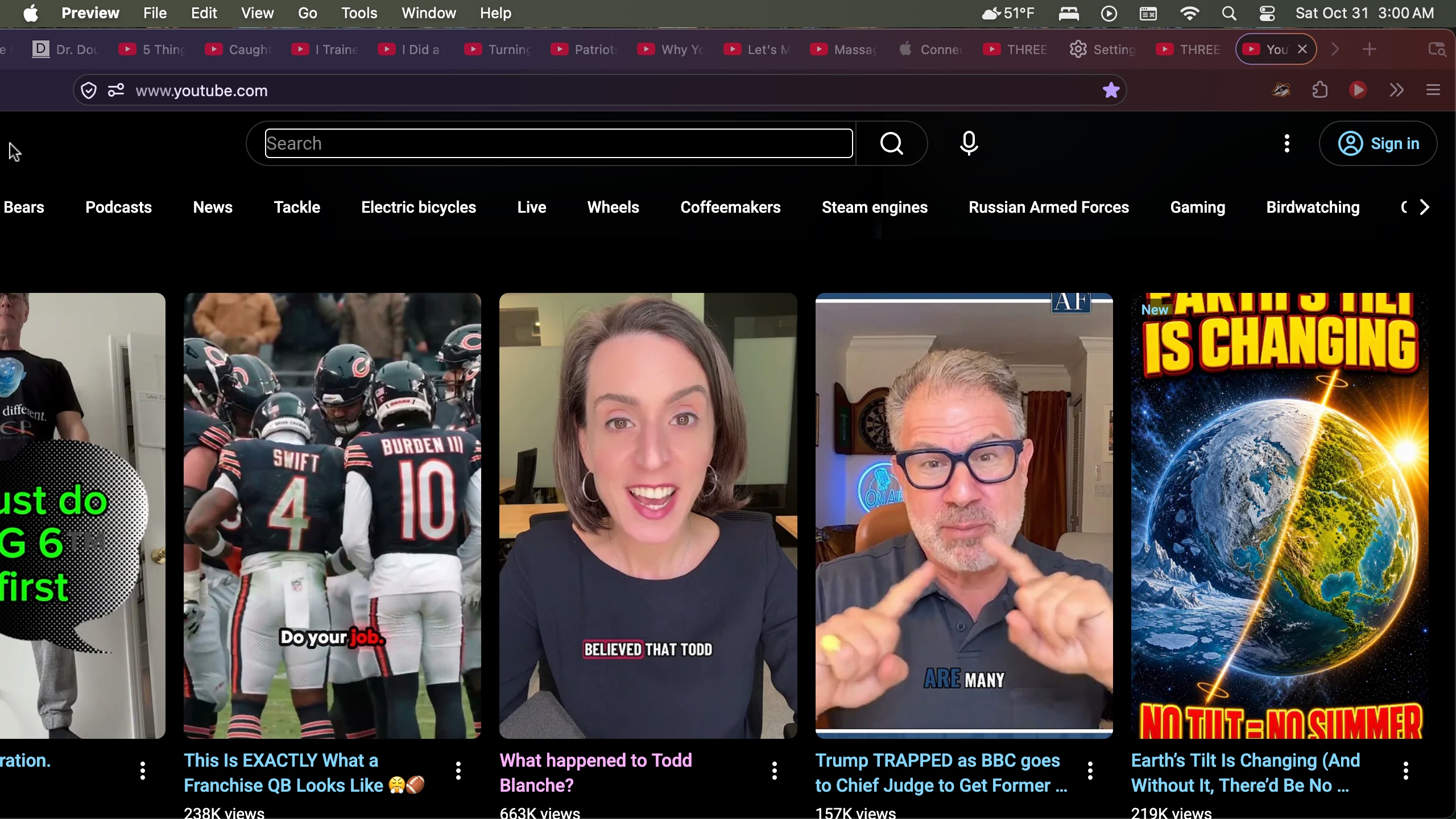
pages are truncated. Either side may be cut off, but one side is alway cut off. I see "truncated" on the left.

I am typing. This is. Whoa, all of a sudden, the problem corrected itself. I was about to say that "This" is the 1st word that I could see. Everything to the left of the 1st "This" word could not be seen. I tried to embolden that 1st "This" word. Embolden did not work, but suddenly, the view of the page, including all left of that 1st "This" word appeared. I will go ahead and submit this......and hope that when I go back to my usual computer work that the problem does not reoccur. If it does reoccur, I will be back to let you know. I just went to the page where I 1st noticed the problem, YouTube, and the problem was not present their either. I think you may have just corrected the problem.
BTW, I am using the latest version of Firefox for Mas OS Sequoia 15.8.1
Soluție aleasă
I disabled the Aa dark background and light text extension......and at 1st glance the problem seems to have disappeared. Thank God! I will try a similar, but different extension. And thanks to you too!
Toate răspunsurile (3)
Hi, if the problem recurs, is it limited to multi-line text entry fields (HTML textarea controls), or do you have the problem more generally?
Yes, the problem persists generally. If I can attach a screenshot, I will. It is a screenshot of a YouTube page. You will see that the left side is cut off. How do I correct this problem? The last time I needed help from the Firefox community, the problem was with an extension that provided white or light lettering on a dark background. I will disable that extension to see if that helps.
Soluție aleasă
I disabled the Aa dark background and light text extension......and at 1st glance the problem seems to have disappeared. Thank God! I will try a similar, but different extension. And thanks to you too!