


Rezolvat
Open a search link in a new tab
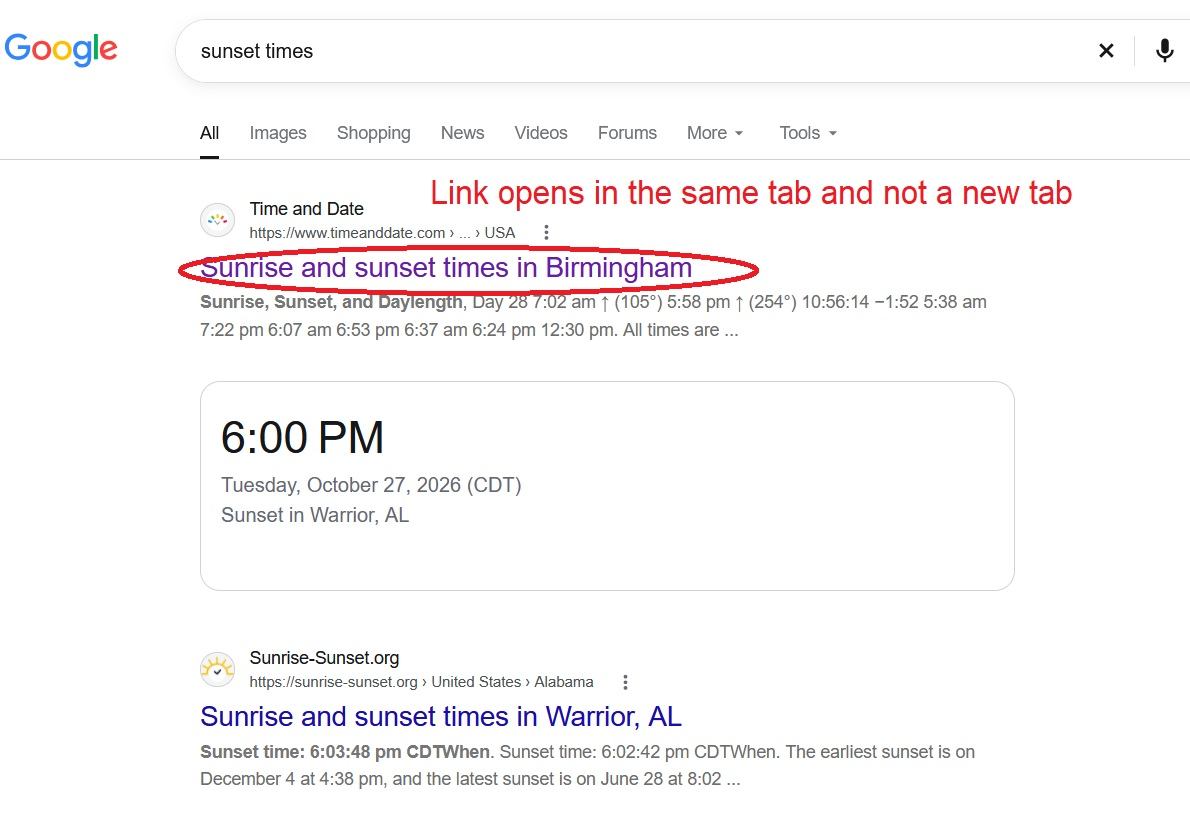
I updated to Firefox 159.0 and now when I click on a link it doesn't open the link in a new tab. I tried the extensions and they did not work. I also tried changing some of the setting in "about:config" and restarting Firefox after making the changes and the links still open in the same tab.
Thank you, Rafal
I updated to Firefox 159.0 and now when I click on a link it doesn't open the link in a new tab. I tried the extensions and they did not work. I also tried changing some of the setting in "about:config" and restarting Firefox after making the changes and the links still open in the same tab.
Thank you,
Rafal
Toate răspunsurile (2)
Soluție aleasă
Hi Rafal, Firefox doesn't have a good setting for this, but Google does.
Possibly your Google setting was lost when a cookie was cleared? You should be able to find it here:
https://www.google.com/preferences#tabVal=1
Under "Other settings" look for "Results in a new window"
Success?
Thanks jscher2000, that did it!!!!
Thank you, Rafal