


How to disable Firefox updates forever?

Hello, I'm pretty tired of Firefox updating itself without asking me or warning me, just telling me that it's going to force me to restart and kill all of my private windows without any chance of continuing browsing. I'd like to disable updates but it seems that they are forced upon the user regardless of choice. Is there a way to prevent them from happening? I managed to disable them on Linux by some miracle but can't find a way to do the same on Mac. I'd also like to remove the little popup that suggests updates every time I open it. No chance of that either? The browser is made for browsing and not for serving the needs of the browser. I really love what Firefox used to be but at this point I might as well switch to something else. The blatant disregard for user experience is what's killing me.
Toate răspunsurile (3)
Hi
To be fair, you do already seem to be using an older version of Firefox. I would not recommend turning off updates as that will make your browser and your browsing much less secure over time and in the longer term you may find that some web pages fail to open correctly or at all.
Bonjour
https://support.mozilla.org/en-US/questions/1590804
Firefox release notes https://www.firefox.com/en-US/releases Since the release of Firefox 63 https://www.firefox.com/en-US/firefox/63.0/releasenotes
The option to Never check for updates was removed from about:preferences. You can use the DisableAppUpdate enterprise policy as a substitute.
Firefox policies https://mozilla.github.io/policy-templates DisableAppUpdate https://mozilla.github.io/policy-templates/#disableappupdate
Your browser is being managed by your organization.
{ "policies": { "DisableAppUpdate": true } }
If you want to try Enterprise Policy Generator https://addons.mozilla.org/firefox/addon/enterprise-policy-generator
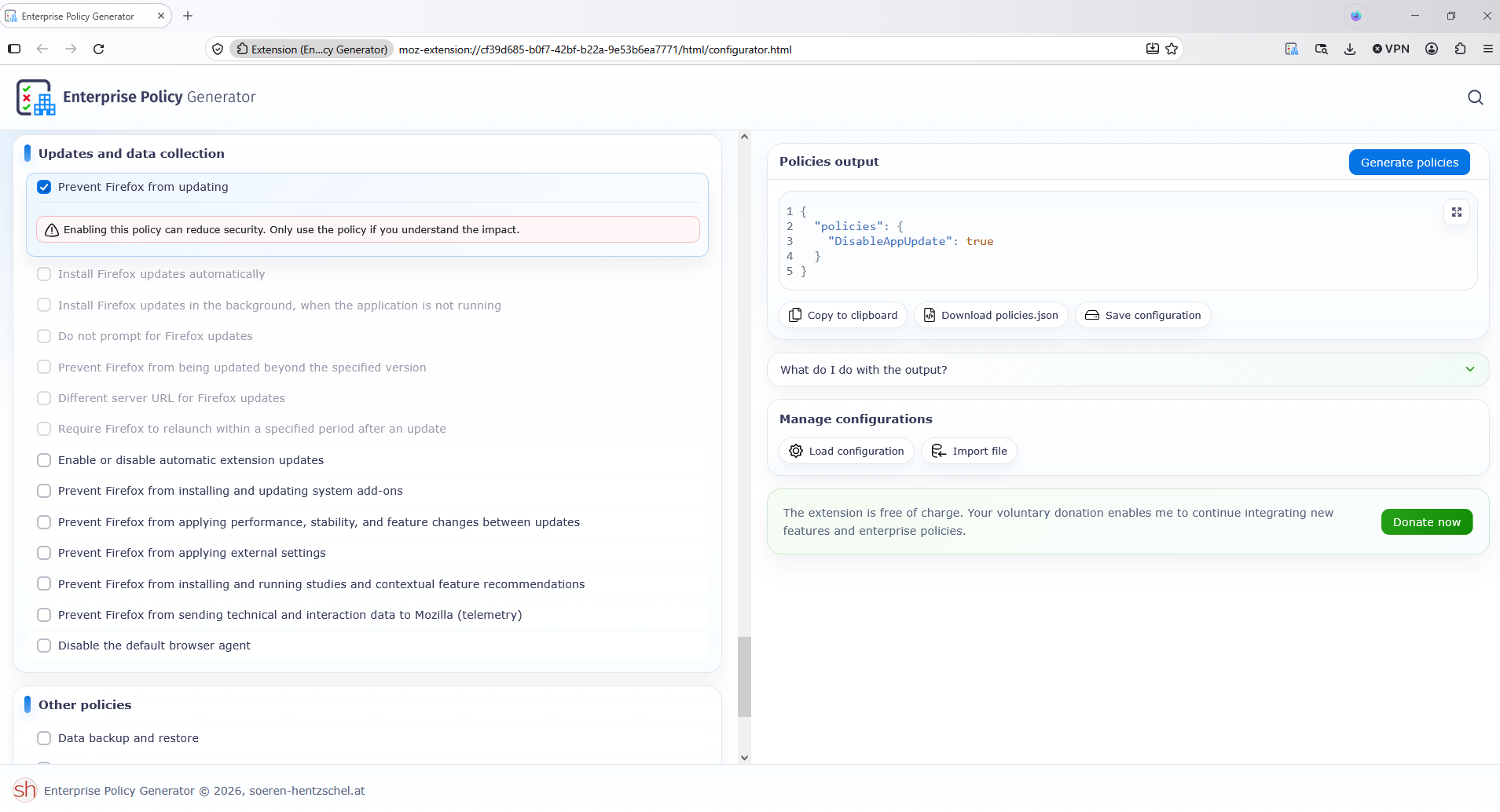
Modificat la de Agent virtuel
DisableAppUpdate (e.g) https://www.youtube.com/watch?v=dSdjN13SIps At one point in the video, a black screen appears, and that's normal, that's my strategy, the time it takes to answer Yes in the "User Account Control" (UAC) dialog box.