


Why does "Manage AI Controls" come up in URL bar when I start typing for website?

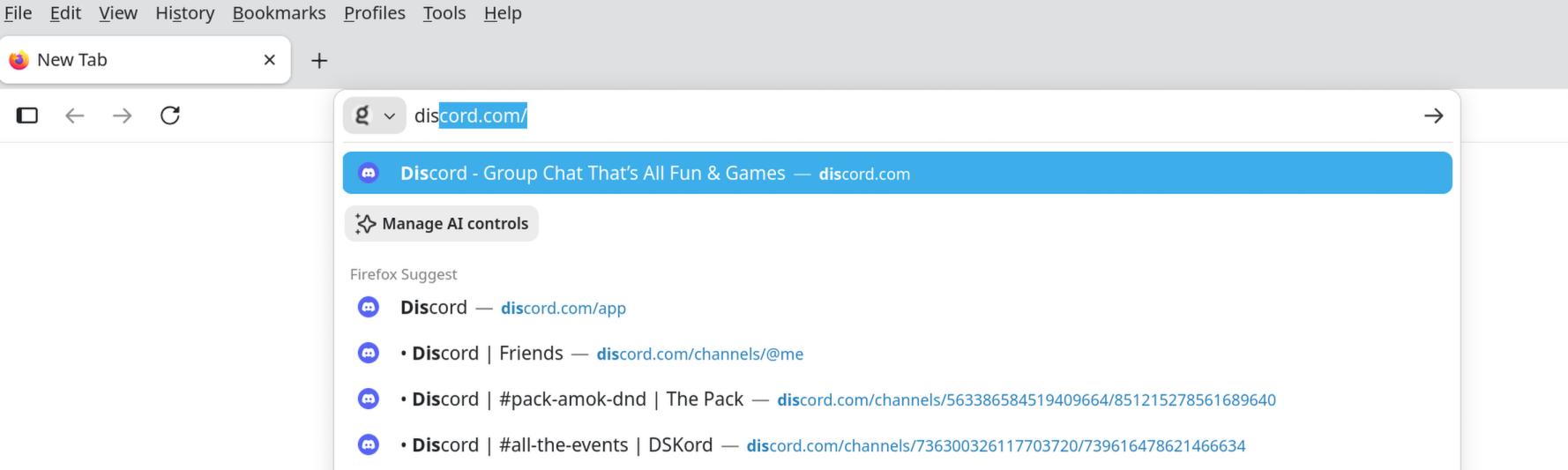
So when I start to type `dis` in the URL bar to bring up Discord (yes, I use the Web version), I've started to see `Manage AI Controls`. This makes no sense to me. I have all those set to block. And `dis` doesn't appear at all anywhere in that setting title. Yet when I start typing in `ai`, that setting doesn't come up.
Something is fishy here.
This is v154.0.1 on Debian/Testing, from Mozilla repository.
Toate răspunsurile (7)
No doubt you have AI enabled.
Settings > AI controls >
amoun said
No doubt you have AI enabled. Settings > AI controls >
Did you not read that I said I had everything blocked? There is no "disabling", there's just blocking of turning off/on individual AI features.
I have all those set to block
There was just the one option I was referring to, and yes I did read, but my point was different.
Not all but one. Sorry you seem to be annoyed at my attempts to help :(
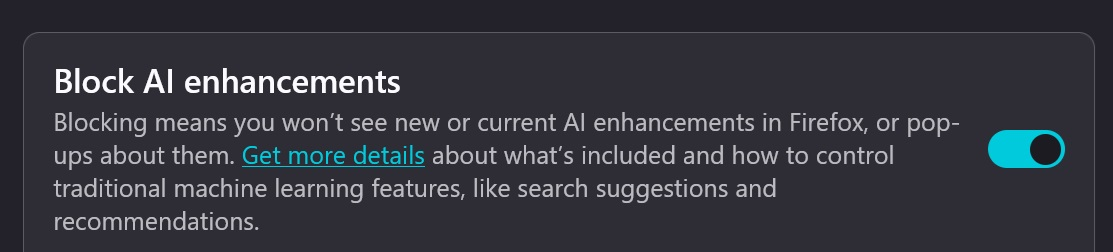
It appeared to me that you hadn't read it, that's why I was annoyed.
And yes, when I said all I meant all. Even that top level one you show helpfully in your screenshot. That too is disabled, and I still have the issue.
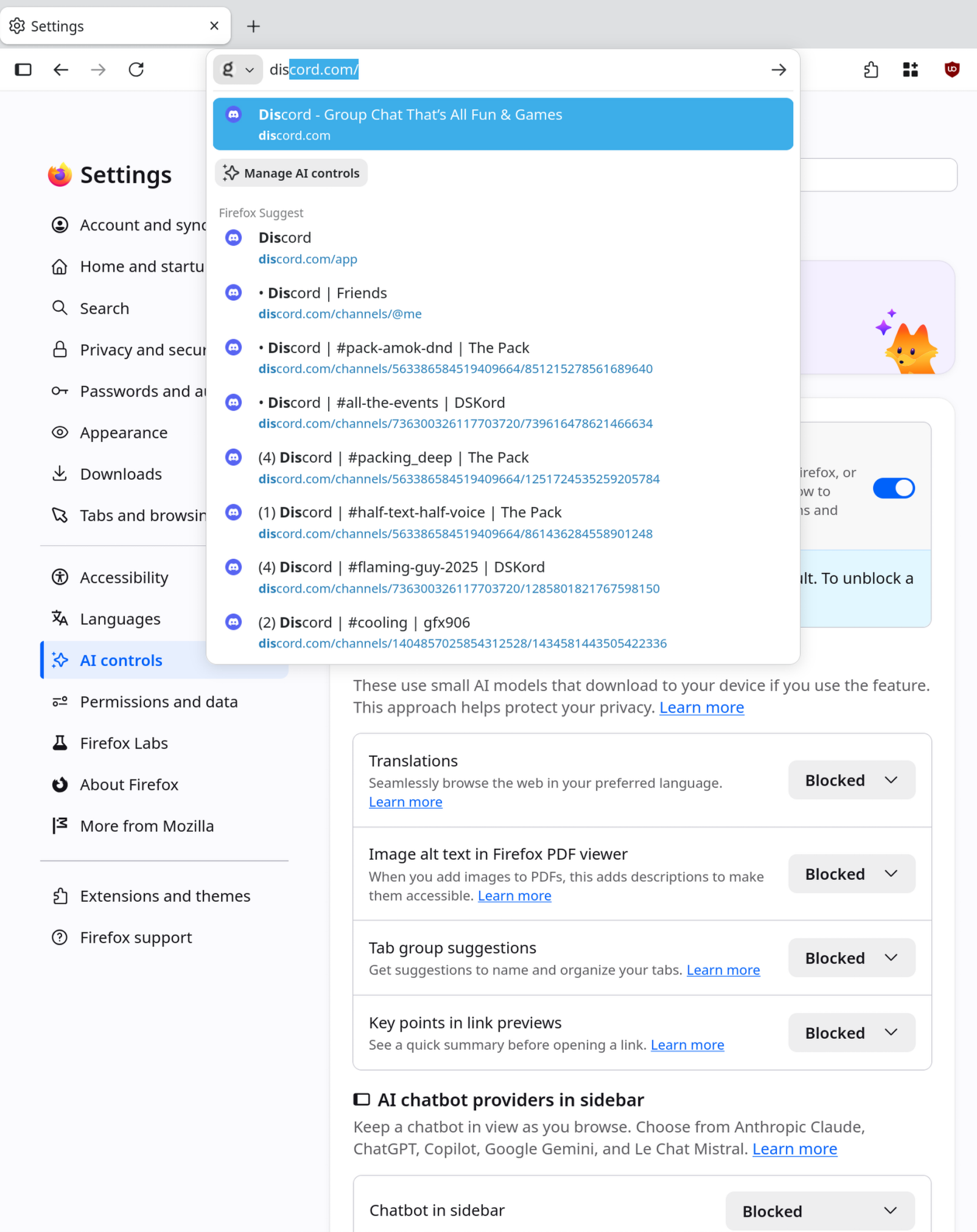
These disable ai, off ai, manage ai are additional QuickAction commands that give you the Manage AI controls button in the address bar. It doesn't matter if you have AI enabled or disabled. As long as you have QuickActions enabled, it will be appearing.
Uh, clicking that just takes me to `about:preferences#ai`, so basically just the settings. So I still don't understand WHY it's matching on `dis`, but NOT on `ai`, for coming up as a QuickAction.
But thanks for helping me understand _what_ it was that was appearing. And since it doesn't seem like it'd be that useful of a thing for me personally, I just turned it off. But still, **why** was it showing up one way, but not a way that I'd think is even more likely to match/show up? A mystery.
So, the phrases were defined in bugzilla.mozilla.org/2038834 – and according to bugzilla.mozilla.org/1781112 they should be matched within a phrase — however it seems a) matches in phrase are only triggered after the full term is spelled out, b) multi word phrases only match in the order as specified, so e.g. "off ai" as landed only offers that button on "turn off ai", "off", but not "ai", "ai off" or "turn ai off" — if you find it unexpected please feel free to file a bug to that tune.