Can't edit Bookmarks anymore on Android

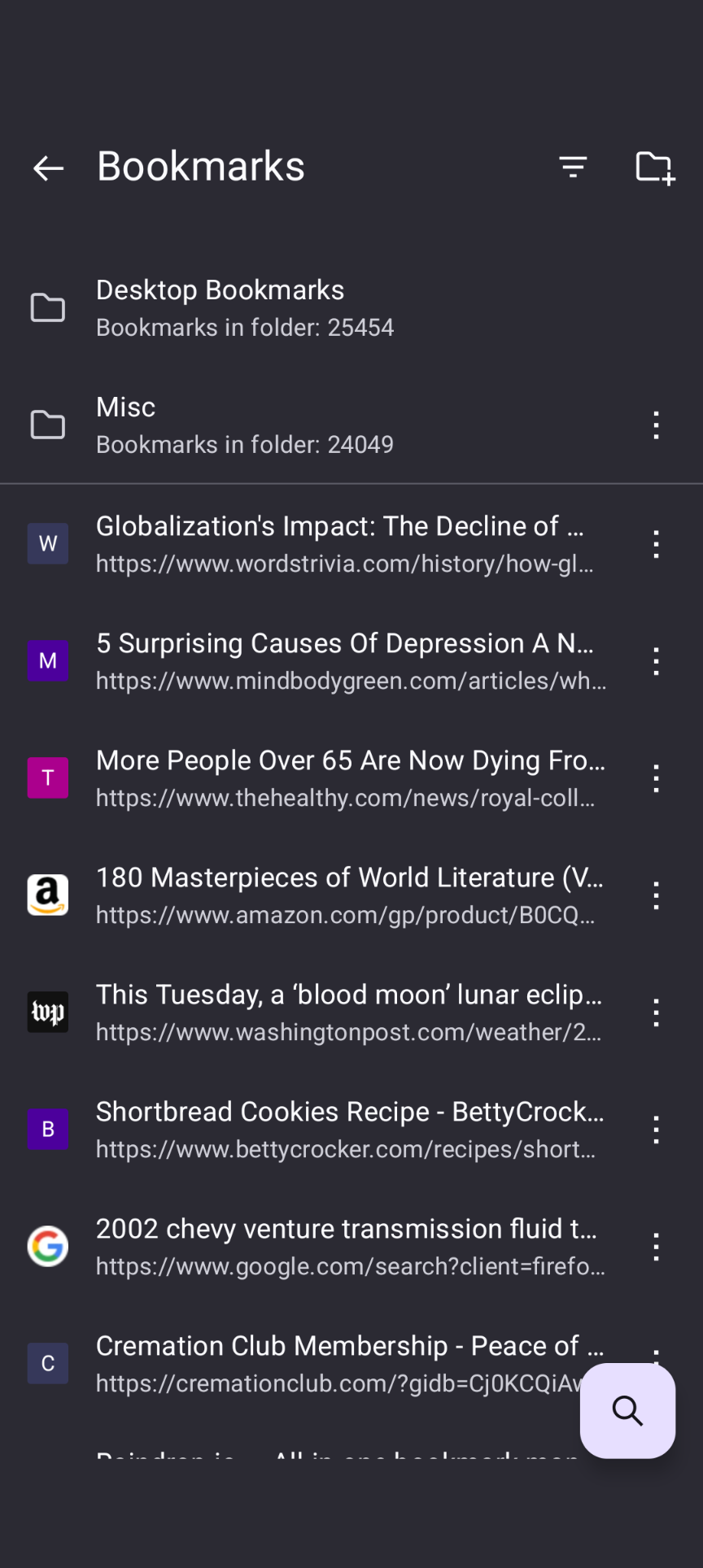
I can't edit Bookmarks on Android anymore to move bookmarks to subfolders of Bookmarks that were previously created. This is a recent issue. Android 16, Pixel 10 Pro. I have previously created a number of subfolders of the Bookmarks folder. I used to be able to move bookmarks easily with the edit option to a subfolder. Now the carrot next to the Bookmarks folder does not expand. Restarted phone, un/reinstalled Firefox. I can edit my bookmarks in Firefox in Windows 11, and now this is my only way to move bookmarks so that they are in a subfolder on my phone. I have to move them on my laptop. I mainly browse on my phone, so this is very inconvenient, and not a good development from my point of view. Thanks for your help!
I can't edit Bookmarks on Android anymore to move bookmarks to subfolders of Bookmarks that were previously created. This is a recent issue. Android 16, Pixel 10 Pro. I have previously created a number of subfolders of the Bookmarks folder. I used to be able to move bookmarks easily with the edit option to a subfolder. Now the carrot next to the Bookmarks folder does not expand. Restarted phone, un/reinstalled Firefox. I can edit my bookmarks in Firefox in Windows 11, and now this is my only way to move bookmarks so that they are in a subfolder on my phone. I have to move them on my laptop. I mainly browse on my phone, so this is very inconvenient, and not a good development from my point of view. Thanks for your help!