


Windows 10 reached EOS (end of support) on October 14, 2025. For more information, see this article.

Caută ajutor

Atenție la excrocheriile de asistență. Noi nu îți vom cere niciodată să suni sau să trimiți vreun SMS la vreun număr de telefon sau să dai informații personale. Te rugăm să raportezi activitățile suspecte folosind opțiunea „Raportează un abuz”.

Află mai multe

google search bar- where is the microphone

  • 3 răspunsuri
  • 1 are această problemă
  • 19 vizualizări
  • Ultimul răspuns dat de Denys

mai multe opțiuni

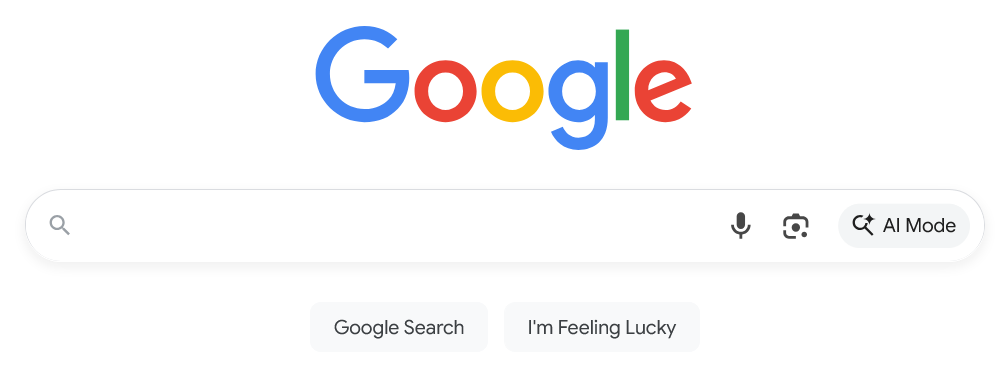
On google search bar- where is the microphone, or dictation icon. How do I add it. I have windows 11 and using Mozilla firefox as my default web browser. I have search the settings and cannot find it. Please send instructions to add it to the bar. If I were to use chrome/google they have it and I know Firefox did have it. Thank you

On google search bar- where is the microphone, or dictation icon. How do I add it. I have windows 11 and using Mozilla firefox as my default web browser. I have search the settings and cannot find it. Please send instructions to add it to the bar. If I were to use chrome/google they have it and I know Firefox did have it. Thank you

Toate răspunsurile (3)
mai multe opțiuni

The icon should be there, see the attached image.

mai multe opțiuni

It is not, I am using firefox with google as my search tool. Not straight google. See attached.

mai multe opțiuni

Hi there,

I'm afraid it's not possible to add that icon to the New Tab page. One of the reasons is that Firefox supports many search engines with different features, and it would be hard to embed all of those features into Firefox UI. Chrome can do that for their own search engine, obviously.

What you can do, however, is searching for an extension that offers a custom New tab page with that feature.

Adresează o întrebare

Trebuie să intri în cont ca să răspunzi la o postare. Te rugăm să adresezi o întrebare nouă dacă nu ai încă un cont.